- Joined
- Jun 18, 2024
- Messages
- 5
- Reaction score
- 1
Hello
I'm having issues on a new installation with call transfer.
Client is working on smartphones when working at home, this is working fine.
But on-site they are using Yealink headsets connected to a DECT Base (Yealink W70B).
Blind transfer are working perfectly on-site, when initiating this transfer with the PWA app (tried locally and on RDS).
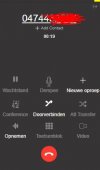
But the Attended transfer option is greyed out.
What do I miss?
PBX is 3CX 20 hosted.
I'm having issues on a new installation with call transfer.
Client is working on smartphones when working at home, this is working fine.
But on-site they are using Yealink headsets connected to a DECT Base (Yealink W70B).
Blind transfer are working perfectly on-site, when initiating this transfer with the PWA app (tried locally and on RDS).
But the Attended transfer option is greyed out.
What do I miss?
PBX is 3CX 20 hosted.