Auto Provisioning T48s not working behind SBC

Status
Not open for further replies.

swisscallingaustria

Free User
Joined
Apr 6, 2020
Messages
9
Reaction score
1
Dear all,

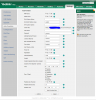
I have set-up the 3CX PBX in the cloud, with 3CX phone apps and STUN-provisioned phones working just fine. I have also added a phyiscal SBC, running on Raspberry PI. I have now factory-resetted a Yealink T48s, connected it in the LAN with the SBC and it also gets picked up in the 3CX Management Console.

1587996408671.png

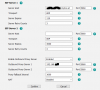
However, when I assign an extension to it and click "OK", nothing happens. The phone remains saved under the extension, but neither does the phone reboot, configure itself or anything. It remains listed as "New" under the phone list as if nothing has happened.

1587998169458.png

What am I doing wrong here?

Any ideas would be greatly appreciated.

Thanks a lot
 

Attachments

  • 1587996357611.png
    1587996357611.png
    6.9 KB · Views: 11
  • 1587996497671.png
    1587996497671.png
    21.2 KB · Views: 16
Last edited:
Have you factory rest the handset?
 
Yes, the phone was factory reset.
 
a couple of my yealinks i had to put the provisioning link into here to get them to provision

1587997232947.png
 
  • Like
Reactions: swisscallingaustria
you set sip port 5059 on phone ?

hide your provisioning link in first post
 
a couple of my yealinks i had to put the provisioning link into here to get them to provision

View attachment 15819
Thanks a lot, putting in the URL and hitting the "Auto Provision Now" button is doing the work-around.

However, is there any way not having to do this? I was hoping that the SBC would trigger this process automatically without me having to do this. This will be especially hard, since I will not always have local network access to open the phone's admin webpage.
 
I think it depends where you get the phones from, mine that i have to do it on somehow have it hardcoded to a old SIP provider, so the link does not go to yealink to know the phone belongs to my 3CX it also happens to some snom phones that i buy, they register the MAC as theirs and when i try to provision snom auto assign it to them.

Never really got to the bottom of it.
 
Are you using 3CX fqdn and ssl certificate ?

Check 3CX blacklist, and remove any entries.
 
Last edited:
Are you using 3CX fqdn and ssl certificate ?

Check 3CX blacklist, and remove any entries.

Yes, 3CX FQDN and certificate. Nothing on the blacklist.
 
We have over a hundred SBC units and no issue provisioning any supported Yealink models. You even appear to have the correct 3CX firmware.

Was this phone connected to another PBX at one point? You might try changing it to STUN and check the server activity to make sure it delivered the RPS update correctly. Then, change it back to SBC provisioning or remove it. Remove the New phone from the Phones tab and factory reset again. When it shows up assign to existing extension, save and wait at least ten minutes. It should provision. If not I'd recommend a support case.

If it cannot deliver the RPS update due to an existing record that cannot be overwritten, you will need to manually input the provisioning URL on this one. That is rare, but I have seen it.
 
We have over a hundred SBC units and no issue provisioning any supported Yealink models. You even appear to have the correct 3CX firmware.

Was this phone connected to another PBX at one point? You might try changing it to STUN and check the server activity to make sure it delivered the RPS update correctly. Then, change it back to SBC provisioning or remove it. Remove the New phone from the Phones tab and factory reset again. When it shows up assign to existing extension, save and wait at least ten minutes. It should provision. If not I'd recommend a support case.

If it cannot deliver the RPS update due to an existing record that cannot be overwritten, you will need to manually input the provisioning URL on this one. That is rare, but I have seen it.

The phone was connected to the same PBX using STUN (before we installed the SBC). Hence, I did a factory reset and deleted the phone from the extension it was assigned to, before reconnecting it to the SBC. It is working now with the workaround suggested above, but clearly it concerns me. I will try a factory reset again tomorrow.

What exactly do you mean by "remove the new phone from the phones tab"? Do you refer to deleting it from the extension to which it is provisioned? Or do you suggest to "reject" it from the phones listing?
 
What exactly do you mean by "remove the new phone from the phones tab"? Do you refer to deleting it from the extension to which it is provisioned? Or do you suggest to "reject" it from the phones listing?

Reject from the phones listing. Only to make sure things are clean and that the next multi-cast shows up properly after the next factory reset.
 
Hi all,

I did some further digging and I get the feeling that the previous STUN configuration is somehow still playing a role here, with the MAC still saved on the RPS server.

I have reprovisioned the phone to another extension now, which was working better. However, when looking at the phone config it still is showing the PBX itself (xxx.my3cx.at) as SIP Server 1 and the SBC only as proxy server. Is that the correct set-up for an SBC or should the SBC's IP show up under SIP Server 1?

1588057837546.png

Also, is there anyone here from 3CX Support who can remove the MAC from the RPS Server?

Thanks,
Florian
 
Also, is there anyone here from 3CX Support who can remove the MAC from the RPS Server?
This is not done for free , 3CX ask you to buy a support ticket to do this.
Ask phone brand, open a ticket with Yealink support and give them the MAC address of the phone, they should be able to removeit from RPS for you.
 
@swisscallingaustria

The configuration is correct indeed, the SBC acts as a proxy server.

The phone can be provisioned using a direct link so the PBX is accessible from the phone's perspective.

The SBC shows the new phone when you reset it, so multicast also appears to work. You can Reject the registration and reset it again to ensure it appears again.

You also said STUN provisioning has worked (assuming you provisioned it as per our guide, not manually).

So if the phone does not provision over SBC, then it is logical to conclude that the phone itself is refusing. This can be investigated by resetting the phone, logging into its GUI, starting a capture from the phone's GUI and then assigning it in the management console again. Give it a few minutes (or you you may see the MWI flashing) then end the capture and analyze it in Wireshark. You should a SIP message coming from the SBC which includes the provisioning link the device should follow. If this is correct, then the phone is failing to provision itself. Do this check first, it's important to see if the message arrives before anything else.
 
Status
Not open for further replies.

Latest Posts

Forum statistics

Threads
111,945
Messages
589,867
Members
164,835
Latest member
Firefox Technologies