Automate weekdays and weekend digital receptionist

Status
Not open for further replies.

Scott EIT

Bronze Partner
Basic Certified
Joined
Jan 29, 2019
Messages
209
Reaction score
18
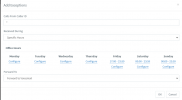
We've currently experiencing issues while attempting to alternative between two different out of office messages for specific SIP trunks. Our client currently has configured to use a weekday VM but they now want to add an additional VM for weekends but it would appear under the digital receptionist "Set up Specific Office Hours for this trunk" we're not able to use an additional option to exclude weekends and add an additional VM.

What's the most effective way as a workaround for this issue? The client is currently using Version: 18.0 Update 9 (Build 31).

Thanks in advance.
 
Use a dummy user with exceptions based on "specific hours". Then route to that dummy user.
 
  • Like
Reactions: Scott EIT
Thanks for your reply!

I have looked into using the dummy extension but would could you potentially elaborate on the process more as I've not previous had to use this for alternating voice messages unsure how I add in the specific times for the voicemails to swap over via the dummy ext
 
Last edited:
Thanks for your reply!

I have looked into using the dummy extension but would could you potentially elaborate on the process more as I've not previous had to use this for alternating voice messages.
You simply use the extension's forwarding rules exceptions as routing conditions. They are treated in order, and you can specify specific hours/days for each exception.
 
  • Like
Reactions: Scott EIT
Thank you for your assistance, could I just confirm the imagine below is what should typically how these rules should be set up?
 

Attachments

  • Weekend_ooo.PNG
    Weekend_ooo.PNG
    15 KB · Views: 11
Thank you for your assistance, could I just confirm the imagine below is what should typically how these rules should be set up?
Yup
 
Hi, can you confirm how we redirect the calls for the weekend to the dummy ext?

I currently have the dummy ex set up as mentioned previously for week days and another for the weekend. But to add the additional dummy ext I'm unsure how the functionality works that it'll direct to one extension during the week after hours and a separate ext at the weekend.

Could you elaborate more information as how this would be achieved? And the process required to separate out the two extensions so they separate depending on day/time.
 
Last edited:
Hello Guillaume,

We've now updated to V20

We have two separate sites that have different opening & closing times under the same tenancy. We also different site names and different .wav files for when open and close.

How can we achieve this for two different venues under the same tenancy?

Thanks,
 
Last edited:
Hello Guillaume,

We've now updated to V20

We have two separate sites that have different opening & closing times under the same tenancy. We also different site names and different .wav files for when open and close.

How can we achieve this for two different venues under the same tenancy?

Thanks,

2 DIDs ?
 
Hi Guillaume,

Yes, they're using two DIDs for the same tenancy but the same business that have separate opening and closing hours and weekend messages. What's the most effective way to allow this functionality?
 
Setup departments ex:
Office1 hours
Office2 hours
Set each DID to either one or the same and setup different messages
 
  • Like
Reactions: Guillaume Bourgeois
  • Like
Reactions: Scott EIT
Status
Not open for further replies.

Latest Posts

Forum statistics

Threads
111,953
Messages
589,915
Members
164,850
Latest member
masvty