Automatic DnD not working correctly after daylight saving time

Status
Not open for further replies.

ca_maer

Customer
Joined
Nov 5, 2019
Messages
49
Reaction score
8
We have an automatic forwarding rule in the extension where people are on automatic DnD when outside of office hours. This was working fine until yesterday where the daylight saving time took effect (+1 hour). All the time on the phones are fine but at 8:15AM they are still on DnD when they should be available. I've attached some screenshot to show the settings we have.
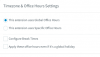
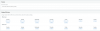
Screen Shot 2020-03-09 at 8.28.05 AM.pngScreen Shot 2020-03-09 at 8.28.15 AM.png

Any ideas ?
 
We have 4 systems in place with automatic DnD. time/date all look good but the automatic DnD is not working.
 
We have 4 systems in place with automatic DnD. time/date all look good but the automatic DnD is not working.
Not working since the daylight saving time change or never worked ?
 
not working since the daylight saving time change.
 
  • Like
Reactions: ca_maer
Just a follow up: The phone went out of DnD at 9AM which really proves it's a daylight saving time issue.
 
Hello @ca_maer

Which OS are you running and is your OS time correct?
 
Thank you for the information. We are currently investigating this and i will come back to you once we have something.
 
  • Like
Reactions: ca_maer
Experienced same issue this morning. Windows Server 2019. Chicago/US Central. Time correct on server OS. Time correct in Call Logs.
 
  • Like
Reactions: ca_maer
Same issue here on several systems but not all of them. All are on v16, some are Windows some are Debian. System time has been confirmed on all systems.
 
I have the same issue. My systems are on Amazon lightsail. All the ext have to manually changed to available.
 
Can you let us know if the phones switched correctly today? We want to see if this affected only the first switch after the time change.
 
It seems to have auto switched correctly today for us.
 
  • Like
Reactions: YiannisH_3CX
Everything switched correctly for us today.
 
  • Like
Reactions: YiannisH_3CX
We have the same issue. AutoSwitch does not change the user to Do Not Disturb or Available after a DST
Time and Date are fine. (Debian)
 
Was this ever fixed or the source of the issue identified? Seems like my 3cx on windows will not go into ooh even if I put it in ooh via *642
 
We have identified the issue and we are working towards a solution but it needs some work as this only affects the first change after a DST is applied.

Was this ever fixed or the source of the issue identified? Seems like my 3cx on windows will not go into ooh even if I put it in ooh via *642
Please note that *642 only affects trunks and will force calls to follow the out of office configuration so make sure that your trunks are correctly configured. Extensions remain unaffected by *642 and will continue to operate as before.
Also note that *642 forces the system into a state and it will not auto switch back unless you use the *640 to set it back to defaults.
 
Status
Not open for further replies.

Latest Posts

Forum statistics

Threads
111,945
Messages
589,866
Members
164,835
Latest member
Firefox Technologies