Automatic Log-Off when shutting down device

Status
Not open for further replies.

Bastian Lüth

Forum User
Advanced Certified
Joined
Nov 27, 2019
Messages
8
Reaction score
0
Good Morning,

unfortunately I dont seem to have permissions to open up feature requests in the idea section - please move my thread, if necessary :-)

Is it possible to automatically log out someone from queues that has shut down his device without logging out previously? It keeps
messing with our reports and queue status if there are people set to "Offline" or Unavailable which are still logged into queues.


Thanks in advance!
Bastian
 
Hi Bastian,

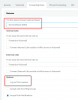
Your option is to have status auto switching based on scheduling, and when the status changes to DND for example the user can also be logged out of queues:
13299

Otherwise the manager can manually log out users if they forget.
 
Hi John,

first of all - thanks for the swift reply!

Hi Bastian,

Your option is to have status auto switching based on scheduling, and when the status changes to DND for example the user can also be logged out of queues:
View attachment 13299

Otherwise the manager can manually log out users if they forget.

Yeah, we have similar settings in place for other departments. Unfortunately this issue affects shift workers, who do have quite flexible office hours - so I guess that's not something I could set up.

At first I thought we could use the built-in "Auto-Away / Inactivity" feature for this, but most of the users
use a virtual machine which leads to the client device not detecting any input and logging them out, even if they are in front of the machine.

Do you know if the Inactivity works even after the user shut his device down (e.g. after finishing his shift?)

Thanks!
Bastian
 
Hi Bastian,

There is no hard solution I can think of. The inactivity feature of the desktop client only works while the client is running. They remember to shut down but not to log out? :oops:

Someone needs to be responsible for logging out so if not the auto switching, and not the idle feature, and not the agent then perhaps a supervisor?
 
  • Like
Reactions: Evolute IT
Hi Bastian,

the only solution I found for this on our Windows clients is to create a logoff script which dials the number code for settings the status to "away".

%programdata%\3CXPhone for Windows\PhoneApp\3CXClickToCall.exe *31 (for example)

The same Task we configured in the task scheduler, as a trigger we have lock/unlock the desktop.

Quite poor from 3CX btw. that they don't integrate such a feature in their clients...

Regards,
Werner
 
Hi Bastian,

the only solution I found for this on our Windows clients is to create a logoff script which dials the number code for settings the status to "away".

%programdata%\3CXPhone for Windows\PhoneApp\3CXClickToCall.exe *31 (for example)

The same Task we configured in the task scheduler, as a trigger we have lock/unlock the desktop.

Quite poor from 3CX btw. that they don't integrate such a feature in their clients...

Regards,
Werner


Hi Werner,

I think that would be a great solution for this case. Thank you very much!

Regards,
Bastian
 
I can see where you're coming from. But, if their job is to be sat on a phone all day you'd have thought logging out would become part of their daily routine. Just like factory workers clock in and out....
 
I can see where you're coming from. But, if their job is to be sat on a phone all day you'd have thought logging out would become part of their daily routine. Just like factory workers clock in and out....

I totally agree with you. Unfortunately - that is not (yet) the case. I also agree that it's more of a bandaid solution for this issue, but it keeps messing up our queue login reports (because agents are shown as logged in, even though they are not) on which our queue managers are relying on.
 
Last edited:
Status
Not open for further replies.

Members Online Now

Forum statistics

Threads
111,835
Messages
589,291
Members
164,668
Latest member
Infinity Network