Autotask new REST API Integration

Status
Not open for further replies.

Chris Ellsaesser

Platinum Partner
Joined
Jan 7, 2019
Messages
16
Reaction score
23
Hello

I'm trying to get a new Autotask integration set up (https://webservices4.autotask.net/atservicesrest/swagger/ui/index#/) and I'm running into a few problems based on what Autotask expects for its API calls.

It seems you have to use square brackets to make searches using the Autotask API, meaning a search function would look like:
https://webservices4.autotask.net/atservicesrest/v1.0/Contacts/query?search={"filter":[{"op":"contains","field":"phone","value":"[Number]"}]}

The problem is 3CX template generate tries to parse the brackets and using an escape character like '\' doesn't seem to resolve this. As a test then I ran a simple query to find entities:
https://webservices4.autotask.net/atservicesrest/v1.0/Contacts/entityinformation/fields which works fine.
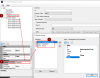
 
Found the resolution! There is advice on replacing '[' with '{{' from https://www.3cx.com/docs/server-side-crm-template-xml-description/#h.2oikrv8ncny6

However, the expression ends with four curly braces, '}' which makes the 3CX template generate end the statement with ']]' instead of '}]}'. However, adding a space between these now makes the template generator recognise this correctly.

Successful matching scenario is:
https://webservices4.autotask.net/atservicesrest/v1.0/Contacts/query?search={"filter":{{{"op":"contains","field":"phone","value":"[Number]"} }} }

For those of you wanting to set up Autotask integration, make sure to set Authentication to 'no' and set the API tracker, username, and secret within the headers of the requests.

1594284726450.png
 
I have a generic Autotask PSA integration template configured now, but wanted a bit of help with contact creation. Autotask is a bit strange in that it only allows creation of contacts if there is an associated Company. In addition, created contacts cannot move companies so creating contacts via POST will not be useful.

However, Autotask does as a ContactURL that could immediately give the users a page to create a contact (where # is the region):
https://ww#.autotask.net/Autotask/AutotaskExtend/ExecuteCommand.aspx?Code=NewContact&Phone=[Number]

Is it possible for the 3CX template generator to just to pass this to the webclient to trigger account creation (just like a call popup) rather than try to post data?
 
You can return that URL for the new contact instead of creating it. However this will cause problems, because that contact with that URL will remain in the 3CX phonebook. Then, the next time this customer calls you, the same URL will be poped up, and you will end up with a new contact creation page for every call...
 
Would this happen if 'Query CRM' is set to 'Always'?
 
Would this happen if 'Query CRM' is set to 'Always'?
This setting will not affect this behavior. That setting only controls what happens if you have an existing non-CRM contact in 3CX Contacts matching the caller number. In that case, you have 2 options:
1) Query CRM = Always > even if there is a contact, 3CX will query the CRM and get the contact details from the CRM.
2) Query CRM = Don't query if found in phonebook > when there is a contact in 3CX Contacts matching the caller number, 3CX will not query the CRM.

However, if the contact in 3CX Contacts is a CRM contact (retrieved from the CRM), then 3CX will always query the CRM, no matter what this setting is. This is in order to update the contact details when the customer calls.
 
  • Like
Reactions: Evolute IT
I have a generic Autotask PSA integration template configured now, but wanted a bit of help with contact creation. Autotask is a bit strange in that it only allows creation of contacts if there is an associated Company. In addition, created contacts cannot move companies so creating contacts via POST will not be useful.

However, Autotask does as a ContactURL that could immediately give the users a page to create a contact (where # is the region):
https://ww#.autotask.net/Autotask/AutotaskExtend/ExecuteCommand.aspx?Code=NewContact&Phone=[Number]

Is it possible for the 3CX template generator to just to pass this to the webclient to trigger account creation (just like a call popup) rather than try to post data?

Would you be happy to share this?

I am about to start trying to get 3CX to fetch contact details from Autotask when receiving an incoming call and would appreciate a starting point.
 
Would you be happy to share this?

I am about to start trying to get 3CX to fetch contact details from Autotask when receiving an incoming call and would appreciate a starting point.

+1
 
See attached. There's a few points worth mentioning before using this plugin:
  1. This script uses user impersonation based on the extension listed in the Autotask Resource list. For best results, populate these as well as enable API impersonation rights in the security level permissions. The default API security level will not have enough permissions.
  2. The ATActionType is set to '1' but for some reason is not visible in the CRM integration. This integer represents what kind of Autotask note action is created (e.g. 'Phone call', 'Email' etc.) and can affect whether or not calendar items or to dos get created. Make sure to set this to an integer that suits what you require.
  3. The integration should auto-detect your Autotask zone so it should only require you create an API user within Autotask for it to work.
  4. This is still a work in progress and does not offer contact creation as of yet. Any feedback or recommendations would be appreciated :)
 

Attachments

This is awesome, great work.
 
Status
Not open for further replies.