Backup fails and crashes instance...

Status
Not open for further replies.

alexTakacs

Forum User
Joined
Jul 8, 2019
Messages
30
Reaction score
2
All the sudden having a weird problem.
For the past few days, every time the (unchanged) backup job runs it will fail and actually crash the pabx instance (so that no operation are anymore possible). The reported error is

Code:
3CX Phone System tried to backup but failed due to the following reason(s):
System.Exception: System.InvalidOperationException: This NpgsqlTransaction has completed; it is no longer usable.
   at Npgsql.NpgsqlTransaction.CheckCompleted()
   at Npgsql.NpgsqlTransaction.<Commit>d__17.MoveNext()
--- End of stack trace from previous location where exception was thrown ---
   at System.Runtime.ExceptionServices.ExceptionDispatchInfo.Throw()
   at System.Runtime.CompilerServices.TaskAwaiter.HandleNonSuccessAndDebuggerNotification(Task task)
   at Npgsql.NpgsqlTransaction.<>c__DisplayClass18_0.<<CommitAsync>b__0>d.MoveNext()
--- End of stack trace from previous location where exception was thrown ---
   at System.Runtime.ExceptionServices.ExceptionDispatchInfo.Throw()
   at System.Runtime.CompilerServices.TaskAwaiter.HandleNonSuccessAndDebuggerNotification(Task task)
   at _3cxNetInterfaces.Implementation.Npgsql.NpgsqlDbOperation.<CommitAsync>d__38.MoveNext()
--- End of stack trace from previous location where exception was thrown ---
   at System.Runtime.ExceptionServices.ExceptionDispatchInfo.Throw()
   at System.Runtime.CompilerServices.TaskAwaiter.HandleNonSuccessAndDebuggerNotification(Task task)
   at _3cxNetBackupAndRestore.BackupTasks.BaseDBTask.<RunAll>d__12.MoveNext()
   at _3cxBackupRestoreImpl.BackupRestoreUtils.Backup(IFilesystem filesystem, String instanceId, String cfgPath, String dbConnectionString, BackupConfig options, String fullpathFilename, Boolean sendEmail)
   at BackupRestoreSchedule.BackupJob.Execute(IJobExecutionContext context)

any idea where to look ?
 
  • 3CX Version, Professional Perpetual 16.0.4.493
  • Server OS Windows Server 2016
  • Is the 3CX Server Hosted and where? local LAN machine (Intel NUC - 16Gb RAM - 512 Gb SSD)
  • IP Phone Make/Model/Firmware Not relevant here I guess but using stock Yealink Txx (various models)
  • Provisioning Method: Local / VPN / STUN / SBC Local
  • Trunk Provider or Gateway Make/Model None - direct SIP Trunk to provider
  • Has the Firewall Checker passed: YES
  • Are custom Phone Templates being used: NO
 
Is there any other software whatsoever installed on this machine other than just windows+drivers+3CX ?
 
Nope
Minimal Win server 2016 (up to date with patches) and 3CX
 
Please share:

  • the CPU model of the NUC
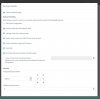
  • A screenshot of the scheduled backup you have (so we can see the options selected)
 
It is a NUC7i7BNH with Intel Core i7-7567U

1386013861

Absolutely plain vanilla as far as I can tell
 
Change your backup path to the default that we provide, and run your backup again.

Let me know if it will complete successfully
 
Should be in C:\ProgramData\3CX\Instance1\Data\Backups
 
ok will give it a try but outside office hours as the users are obviously not too much impressed by the PABX crashing :)

Incidentally, I am none too convinced by this default location as it will be overwritten should you reinstall the product, thus destroying the backups stored there without warning... It happened to me but thankfully I had a backup of the backup... (sorry for the thread drift)
 
No problem, we always recommend to take your backups out before uninstalling anyway.

This is just for testing of course, the only thing special about the default location is that it already has full write access. This is the reason I recommended this test. Make sure to run both a manual and automatic backup to see if either crashes it.
 
Ok had a chance to test with default path - same result, crash:

Log Name: Application
Source: Application Error
Date: 13.01.2020 07:51:30
Event ID: 1000
Task Category: (100)
Level: Error
Keywords: Classic
User: N/A
Computer: 3cx-ea-01.domain.local
Description:
Faulting application name: 3CXSLDBServ.exe, version: 15.5.15502.6, time stamp: 0x5b838d17
Faulting module name: SL.dll, version: 2.0.27552.0, time stamp: 0x5b838c8e
Exception code: 0xc0000409
Fault offset: 0x0000000000089c0c
Faulting process id: 0x964
Faulting application start time: 0x01d5c9ebe3e4b329
Faulting application path: C:\Program Files\3CX Phone System\Instance1\Bin\3CXSLDBServ.exe
Faulting module path: C:\Program Files\3CX Phone System\Instance1\Bin\SL.dll
Report Id: 0da92ed8-b5e6-4cc6-9d5b-0666b663ae6b
Faulting package full name:
Faulting package-relative application ID:
 
Reviewing the various error messages I would think we might have some corruption with the internal database. Any way to check it ?
 
Yes, I'm also leaning towards database corruption if the database server crashes, especially since nothing else is running on this machine that could interfere.

  • Do you have older backups from before this problem started? (for emergency restoration)
  • Have you tried running a very minimal backup without any extra options ticked? (to see if it is indeed the issue we suspect)
  • Both manual and automatic backups crash it?
 
Hello again
  • Yes and No. I have what seems to be a clean backup but I did some changes since. But overall it would be a good starting point and good enough for an emergency restore.
  • Haven't tried all variations but even the most minimal backup does trigger the crash.
  • Yes
 
Ok if even minimal backup causes the crash then a corrupted database scenario might be plausible here.

You can try using commmandline backup https://www.3cx.com/docs/backup-restore-command-line/

If you are successful this backup can be used to contact support and see if they can assist you.

Was there any power outage or perhaps direct modifications to the database that may have caused this?
 
Well, I had a chance to run a manual backup.

You might want to update your documentation as the utility is now to be found in C:\Program Files\3CX Phone System\Instance1\Bin

I ran it and it seemed to complete successfully:

Code:
C:\Program Files\3CX Phone System\Instance1\Bin>BackupCmd.exe --file=full_pbx_backup.zip --options=ALL --log=backup_cmd.log
Progress: ~98.05%, 854/871 items processed
Progress: ~90.95%, 854/939 items processed
Progress: ~16.92%, 854/5047 items processed
Progress: ~16.89%, 854/5056 items processed
Progress: ~16.76%, 854/5096 items processed
Progress: ~16.66%, 854/5126 items processed
Progress: ~16.66%, 854/5127 items processed
Progress: ~16.51%, 854/5173 items processed
Progress: ~16.07%, 854/5314 items processed
Progress: ~16.06%, 854/5316 items processed
Progress: 16.08%, 855/5317 items processed
Progress: 16.23%, 863/5317 items processed
Progress: 16.46%, 875/5317 items processed
Progress: 16.70%, 888/5317 items processed
Progress: 16.93%, 900/5317 items processed
Progress: 17.34%, 922/5317 items processed
Progress: 100.00%, 5317/5317 items processed
DONE.

but looking into the attached log I am not so sure...

In any case, it did not crash the server :)
 
Last edited by a moderator:
Correction for the post above - it DID crash the server
 
Status
Not open for further replies.

Forum statistics

Threads
111,935
Messages
589,823
Members
164,816
Latest member
natedog