Bad call quality, delays after update to Version 20.0 Update 5 (Build 527 Beta)

ea5522

Customer
Joined
Feb 7, 2025
Messages
11
Reaction score
1
Hello,

we had to update to Version 20.0 Update 5 (Build 527 Beta) because previous version didn't have immediate call archiving feature. After the update, we noticed a decrease in call quality and delays. What could be the issue? Config is the same, nothing has been changed.
 
Who is your VOIP provider? Check if its a supported one because it could be that the SIP trunk needs reconfiguration. Get a twilio account, see if problem persists and if not you can speak to your provider that they update their settings somehow.
 
  • Like
Reactions: Evolute IT
Who is your VOIP provider? Check if its a supported one because it could be that the SIP trunk needs reconfiguration. Get a twilio account, see if problem persists and if not you can speak to your provider that they update their settings somehow.
Voxtelesys. I can try another sip trunk as a test and report back.
 
Voxtelesys is fully supported. But rereading your message are you saying you upgraded from v18 or from update 4? update 5 is still in beta so if there is an issue we can look at it. Please check first with voxtelesys and if not revert to us and we can check the logs.

Initially I thought you were upgrading from v18
 
  • Like
Reactions: Evolute IT
Ok that's a fully supported Voip provider can you please contact them I am sure they will help you.

Also V20 has a connection monitor that will tell you exactly where the problems are in a call in terms of voip quality. It will point to a network problem and tell you which part of the connection has the problem etc. So best do that as a first step. It's unlikely to have anything to do with V20 itself to be frank.
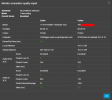
I updated from v20 update 4 to updat e5 beta because of the immediate call archiving feature. Just tried flowroute as well, same delays and crackling. Here is the connection quality report. It cannot be a network issue as I'm on a fast fiberoptic connection. I did switch to Debian from windows when I did the update, however, I had v20 running on Debian prior to that and it was working fine. I'm going to revert back to update 4 if possible and see if that fixes anything.

1738993985393.png
 
Yes but your android mobile is connected via some wifi or LTE connection so its independent of the fibre connection.

And switching from Windows to Debian is a big change so its unlikely to be update 4 to 5 but the system change.
 
  • Like
Reactions: Evolute IT
Voxtelesys is fully supported. But rereading your message are you saying you upgraded from v18 or from update 4? update 5 is still in beta so if there is an issue we can look at it. Please check first with voxtelesys and if not revert to us and we can check the logs.

Initially I thought you were upgrading from v18

This install was never on v18. I initially started on debian, was working perfectly. I switched to windows then back to debian.

Yes but your android mobile is connected via some wifi or LTE connection so its independent of the fibre connection.

And switching from Windows to Debian is a big change so its unlikely to be update 4 to 5 but the system change.
The Android phone is connected to Wi-Fi and on the same local network as the PBX. Yes, this was a system change. I migrated the server from windows to debian before updating to the beta version. Apologies for not explaining it clearly earlier.
 
Sure, but all this information was not in the initial post. The connection quality seems fine, so maybe you are hosting the new machine without enough memory, maybe your virtual machine has some config issue (for example hyperV needs additional settings sometimes) as its now Debian not windows. There are too many variables that we don't know about that have nothing to do with update 5 versus update 4
 
Last edited:
ea5522, try calling Echo Test (*777) from the app. Do you still have audio issues then?
 
  • Like
Reactions: Evolute IT
Sure, but all this information was not in the initial post. The connection quality seems fine, so maybe you are hosting the new machine without enough memory, maybe your virtual machine has some config issue (for example hyperV needs additional settings sometimes) as its now Debian not windows. There are too many variables that we don't know about that have nothing to do with update 5 versus update 4
I gave the VM plenty of ram and CPU, but seems like debian is having an issue. I will try to reinstall in a week and i will report back. For now, i switched back to windows and updated it to the latest beta. I did a restore from backup and everything is running perfect.
 
  • Like
Reactions: ivank
ea5522, try calling Echo Test (*777) from the app. Do you still have audio issues then?
Internal calls and *777 had no audio issues, just the calls through sip trunks
 

Latest Posts

Forum statistics

Threads
111,963
Messages
589,998
Members
164,868
Latest member
swegner