BASIC setup instructions....3cx + sipgate + gv

Status
Not open for further replies.

adeyo

Joined
Jun 23, 2010
Messages
1
Reaction score
0
i am new to 3cx AND sipgate and SIP phones in general. i am however, very familiar with VIOP (lingo for 2 years) and i have had Google Voice for 8 months or so. Basically, i want to make sipgate calls (or use google voice to connect me to sipgate via 3cx) BUT I HAVE NO CLUE how to register sipgate (or even if google voice is possible) to get started. ANY HELP MUCH APPRECIATED. -Adam
 
You mean sipgate registrations using Android phone? or a softphone? This forum is for Android phones only. if you have a problem in general registering a provider search on the forums. Our blog and manuals provide a lot of information on this too.
 
Go to this link..
http://docs.google.com/Doc?docid=0Ae8glDUXDsh9ZGR2eG43cjRfMzNkOTM4ZjNjeA&hl=en&pli=1

Follow everything from step 8.

On your 3cx client. You need to create a new profile.
Profile Name = whatever you want.
User = your user name to sipsorcery
Password = your password to sipsorcery
Internal Server = sipsorcery.com

Have fun and enjoy.. This combo works great and you don't need an unlimited calling plan to make it work.

The Scholar LV.
 
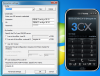
I have attached a screenshot for all the german users that use sipgate. :)

I thought this is the easiest way to explain the settings.

PS. Changing ringtones is easy, too. Just look in the 3cx phone folder then sounds... ;)
 

Attachments

  • 3cx phone SIPGATE.png
    3cx phone SIPGATE.png
    144.9 KB · Views: 7,293
thanks Nico23 for your time on this.

RE ring tones. Be careful and make sure that the audio properties of the file is the same as the one we ship. If not the same phone might not respond on some OS.
 
Status
Not open for further replies.

Forum statistics

Threads
111,879
Messages
589,531
Members
164,731
Latest member
hrhrohit