Batch importing users and DID's

Status
Not open for further replies.

Samraby

Bronze Partner
Basic Certified
Joined
Oct 26, 2020
Messages
22
Reaction score
0
Hi there,

We are moving a load of users from an old system to 3cx we are preparing an import sheet with each user's DID.

When we import the sheet the system creates the appropriate inbound rule, however it seems that it needs the numbers associated with the trunk first.

Is there any way to do this?

the 3CX site suggests creating the inbound rules first....

Any advise would be really helpful

Thanks
Sam
 
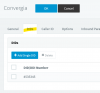
You have to have your DIDs specified in your trunks first before you can create inbound rules for those numbers.

https://www.3cx.com/blog/docs/importing-dids/

1606739970743.png

You could bulk import by first sticking a number in your inbound rule > export

fill out the rest of the DIDs and then import.

the port is the virtual extension number of your SIP trunk which you can get by looking at the event logs for trunk related messages for your trunk specifically. Quickest thing might be to re-register the trunk.
 
Thankyou

I have tried that but i get :


The following lines contain errors:

2 (PORTS/MASK),
3 (PORTS/MASK),
4 (PORTS/MASK),
and so on for every number

CSV looks like :


Code:
PRIORITY,NAME,TYPE,MASK,PORTS,INOFFICE_DEST_TYPE,INOFFICE_DEST_NUMBER,SAME_DEST_AS_INOFFICE,SPECIFIC_HOURS,SPECIFIC_HOURS_TIME,INCLUDE_HOLIDAYS,OUTOFOFFICE_DEST_TYPE,OUTOFOFFICE_DEST_NUMBER,PLAY_HOLIDAY_PROMPT
2,,1,442038489238,[10001],0,,0,0,,,0,,0
3,,1,442038489237,[10002],0,,0,0,,,0,,0
4,,1,442038489231,[10003],0,,0,0,,,0,,0
5,,1,442038489232,[10004],0,,0,0,,,0,,0
6,,1,442038489234,[10005],0,,0,0,,,0,,0
 
If you are assigning these numbers to a single trunk, you will only need one trunk number, which would probably be 10000.

Basically, create one of your DIDs in your SIP trunk, and then assign it to an inbound rule.

Export that one rule and see the format. If the number is 10000 for example on that one trunk, then you will assign ALL the DIDs to that one trunk. 10001, 10002 and so on implies that you have multiple SIP trunks in the PBX and are assigning them to each of those respective trunks.
 
Ahhhh! Got it.

Many thanks :D
 
Status
Not open for further replies.

Latest Posts

Forum statistics

Threads
111,990
Messages
590,161
Members
164,926
Latest member
tohoken1