Busy Lamp Fields not there

Status
Not open for further replies.

ebaker00

Joined
Feb 25, 2016
Messages
6
Reaction score
0
I am trying to create a few extensions and am able to do everything except add any BLF's.

When I go to "Extensions -> Add Extension -> Phone Provisioning" I do not see the options to create BLF's. Do I need to enable something in the settings or edit the templates to get the BLF options to appear under the phone provisioning tab?
 
What phones do you want to provision?
Have you chosen the correct phone in the dropdown (extension-management-provisioning)?
What Version of 3cx or you using? (There is a separate Tab in the extension for BLFs in V14)
 
I am using Yealink T26 phones and I have selected them in the drop down list.

I am using the free version of the software, 12.5 I believe it is.

I have access to the Pro version through my service provider APPIA and we use this in our production environment. Our company likes it so much that we want to buy the software and host it ourselves but I need to get a fully working test environment up and running first. I have most everything working. I can make outbound calls, receive inbound calls, transfer calls, park calls, etc. I am simply not able to setup any BLF's as the option is not there. The BLF options are there on the Pro version that my service provider has but they are not there on the free version that I have installed.

I have read the system manual found here: http://www.3cx.com/manual/3CXPhoneSystemManual12.pdf
On Page 30 of the manual it shows the BLF options as part of the phone provisioning tab when creating a new extension. This is exactly where they are located in the Pro version that my service provider has.

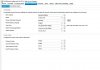
I have attached a picture to help illustrate what I am seeing, or not seeing. Notice in the attached picture that below the "Codec Priority" the BLF options are not there. Am I missing something in my install, do I need to change something in the settings or the templates or something else entirely?
 

Attachments

  • BLFs_missing.JPG
    BLFs_missing.JPG
    105.4 KB · Views: 1,580
Couple of things,

I would upgrade to latest version 14 SP 3 if running 12.5 - http://www.3cx.com/blog/releases/pbx-failover/

Have you checked for latest provisioning files, Updates - Phone Provisioning Updates

Try another browser
 
I do plan to upgrade to the latest version before making this our production system, but I would think I'd be able to add BLF's on version 12.5 as that is the same version my service provider has and I am able to do it there.

My phone provisioning files are all up to date. The only update I cannot install is the service pack 2 update. It will not let me install that update because I am using the free version.

I have tried multiple browsers (Chrome, IE, Firefox) all of which provide the same result, no BLF options on the phone provisioning tab.

Do you have any other ideas for things I can try?
 
Take a close look at the provisioning template. Perhaps copy the template of your other production system and paste it into the template editor.
Of course you have to make sure, that the phone-model names are the same, or adjust this.
Only if option-values or defined for the BLF you see them. At least, this is the way it worked in V12, V14 is different and I am not sure if 12.5 is like V12 oder V14.

The phones are already provisioned? You just can't see the BLFs?
 
You have to enter the MAC. Or provisioning will not work at all, nore will a phone be added to the extension.
 
Frank, thanks for your reply.

I have done exactly what you suggested, copying the provision temples from my production system into the test system but am still not able to see the BLF options in the phone provisioning tab on the test system.

I have two phones fully provisioned in my test system using the templates I copied over but am still running into the same problem.

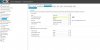
I have attached a picture of a fully provisioned phone that is working however the BLF options are not there. I am at a loss as to what I need to do here.
 

Attachments

  • Provisioned_and_working_extension.JPG
    Provisioned_and_working_extension.JPG
    69 KB · Views: 1,548
hmmm, maybe some other templates are used?
I guess the templates may not have anything to do with it after all, but one last thing to check:
If you check the provisioning folder and files, which have been generated, are those the files you expect?

You could check by inserting some comment in the template or you could check in the admin interface by changing the language which is chosen for new phones (the first language in the provisioning template will be selected, you can change it in the provisioning template). Or you delete the option values section for codecs ...
The codes are the same logical thing, option values like the BLFs. At least this is the way it has been in V12. I think it changed with V14 and not with V12.5. In V14 you have a separate Tab for BLF anyway.
 
Just a wild guess, but in the Management Console under Settings -> Activate License, do you see 'Pro'? I seem to recall that in V12, with a Demo Key (which gave you most Pro features) you did not get the BLF options...
 
Nick, I am using the Free Edition and it is version 12. Not sure why i thought i was on version 12.5.

So I guess then the reason I cannot see the BLF options is because I am on the Free version?
 
ebaker00 said:
Nick, I am using the Free Edition and it is version 12. Not sure why i thought i was on version 12.5.

So I guess then the reason I cannot see the BLF options is because I am on the Free version?

Yep, that would be it.
 
That solves it then.

I'll just keep moving forward with getting the free version configured and then once we purchase the software get the BLF's setup.

Thanks to everyone for all the help!
 
Status
Not open for further replies.