Solved Call breaks up after input of # (hash key)

Status
Not open for further replies.

M4rtin

Forum User
Joined
May 25, 2021
Messages
24
Reaction score
5
Hallo,

I tried to participate to a zoom webinar. I called the zoom number +49 69 XXXX XXXX (Germany) and dialed 11 digits (Webinar ID) and the # sign via the dial field. Shortly after I dialed # (after the ID), the call ends.

I can successfully participate with the number and ID on another 3CX.

Is there a false setting?
 
Hi @M4rtin,

If you press the DTMF buttons with a 1 second gap between each, does the same thing happen?

If you run a wireshark capture, can you check what DTMF is being sent to the provider?
 
OK, I clicked on the dialpad 8 2 0 with one second delay between the numbers, after that the computer voice tells me:

you entered 8 8 8 8 2 2 2 2 0 0 0 0

:oops:
 
Hi @M4rtin,

What device are you using to make press the digits?

You'll need a wireshark packet capture to confirm that the provider is reading the DTMF symbols correctly.

Which provider are you using?
 
Hallo Vasillis,

I tried the digits with Firefox on Macos and with the 3cx app on IOS.

The 3CX is installed on premise. The ISP is Vodafone with Down/Upload 45/10 Mbit/s. The SIP Provider is sipgate.de

I'll now wireshark...
 
  • Like
Reactions: VasilisV_3CX
Hi,
I got this output from my firewall, 192.168.234.215 is the ip of the 3cx, 31.17.151.160 is my current public IP.

1638791669131.png
 
Hi @M4rtin,

I think it would be best to run the capture from the PBX, on the Dashboard click the Activity Log then Settings and enable Verbose logging. Once enabled, click Capture and then make your call.

1638792960981.png

Hit the DTMF inputs you would normally, then hang up the call and stop the capture.

1638793092878.png

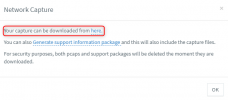
Download it, and open it in Wireshark. In Wireshark, search the term: rtpevent and you should see your DTMFs:

1638793261743.png
 
done, I typed 5 one time, this is the output:

1638798384261.png
 
Hi @M4rtin,

This is great, you're correct. All of those show 1 DTMF pressed so from the screenshot it all looks correct, can you follow the rest of them and check that the # key is the last pressed DTMF. If so then what is being sent to your provider is correct. I would contact your provider to ensure that they're sending the correct DTMF tones upstream.
 
Hi @M4rtin,

I think it would be best to run the capture from the PBX, on the Dashboard click the Activity Log then Settings and enable Verbose logging. Once enabled, click Capture and then make your call.

View attachment 26333

Hit the DTMF inputs you would normally, then hang up the call and stop the capture.

View attachment 26334

Download it, and open it in Wireshark. In Wireshark, search the term: rtpevent and you should see your DTMFs:

View attachment 26335
are you sure this is right?

my other 3cx says:

1638807247260.png
 
are you sure this is right?

my other 3cx says:

View attachment 26351
While we would need to examine the full capture to say for sure, this last screenshot you sent does not look correct, no. Before the 3 packets with "end" that signify that the DTMF transmission is stopping for the specific key press, there should be at least one (usually a few) that signify the start f the transmission of the specific DTMF key press.

A typical example is what VasilisV posted above.

Bt the time though, on the system that you are having this problem, you see the DTMFs as display in your screenshot here:
https://www.3cx.com/community/threads/call-breaks-up-after-input-of-hash-key.86238/post-406609

Then somewhere along the way, the DTMFs are being misinterpreted.
Question, do you have an alternative VoIP Provider you can register on your 3CX system and try calling out from them?

Generally, now that you have checked that the DTMFs are leaving your system correctly, your next call is to your VoIP Provider.
 
Hallo, I recreated the SIP Trunk in 3CX, now it works! I don't know what was the cause, I recreated it with the same settings.
 
Hi @M4rtin,

Glad to hear its working now, I'm not sure that recreating the SIP Trunk would resolve this. So keep an eye on it and let us know if it happens again!
 
Status
Not open for further replies.

Members Online Now

Forum statistics

Threads
111,832
Messages
589,284
Members
164,662
Latest member
DejanMDS