Call log is not propagated

Status
Not open for further replies.

UnDutchable30

Customer
Joined
Aug 8, 2018
Messages
62
Reaction score
3
I have noticed that missed calls are not logged on the deskphone or in the 3CX mobile app or in the webclient.

Yesterday I missed 3 calls and I could find them in the Call logs in the Admin portal, but on my deskphone they did not show up, nor could I see these missed calls in my mobile app or in the call history in the webclient?

Is there something additional I need to do to get the call logs propagates across all devices?
 
Hello @UnDutchable30

Missed calls show up to all devices provisioned under your extension. Were these direct calls to your extension or queue calls for example?
 
Hi Yannish,

The calls arrive always first in a call queue before they are transferred to the deskphones. Then the phones ring and if not answered the voicemail will pick up the call.

The calls were made to the main number, so not to a DDI number
 
Queue calls will not show up to your missed calls list as they are not direct calls to your extension. Do you see a missed call if you call your extension from a different local extension?
 
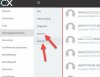
I see the internal call as missed on my other desk phone, but the missed call does not show up in the app or in the webclient. When looking better in the webclient I see two folders with missed calls the lower one is not visible in my App, only the other one and there is just 1 missed call in?

I don't see the logic yet in when the call is visible and on which devices. The IVR first answers the caller with a welcome, then the call is forwarded to the phones in the group and they start ringing, when the user hangs up before it is answered, I would expect to see something in my phone?
 

Attachments

  • webclient.jpg
    webclient.jpg
    49.2 KB · Views: 13
I think what you are looking up is Missed and Abandoned calls. I think the translation should be different there. If the call rings your extension through a queue and the call is not answered by anyone or the call leaves the queue unanswered, then you will get an Abandoned call. These calls will not be visible in the IP phone but you can see them in the web client and windows client.
2019-01-23_14h35_28.png
 
Aha, then the Dutch translation of the webclient has an error in it....;-)

And indeed the calls are in the Webclient and windows client visible under the exclamation mark, but unfortunately not in the App or phone. I would like to see these calls, especially if you are using an IVR system.

Thanks
 
I will see what i can do regarding the translation in the web client. The phone and mobile apps do not currently support this function so for now you will need to use the web client to view these calls.
I would also recommend posting this as a feature request to our ideas section of the forum https://www.3cx.com/community/forums/3cx-ideas/ . All posts are reviewed by their corresponding Departments and, if feasible and voted for by other users as well, may be implemented in an upcoming service pack or update.
 
Thanks Yiannish, done.
 
Glad i could assist. Also the translation will be fixed and will available for the next update. Thank you for reporting.
 
Status
Not open for further replies.

Forum statistics

Threads
111,911
Messages
589,702
Members
164,779
Latest member
affinity123