Solved Call Pop-ups with Zendesk

Status
Not open for further replies.

Rickkert26

Trial User
Joined
Nov 4, 2022
Messages
3
Reaction score
3
Hello All,

We are currently integrating Zendesk to our support desk.
One of the functions we want to use is this one:
  • Call Pop-ups – when using the 3CX Web Client or Desktop App, the customer record is brought up to you automatically when you receive an inbound call.
We have the CRM integration set-up and the test is working. Call Journaling is working fine, but this creates a ticket after the phone call.
Our goal is to open the customer record on a inbound call.

I've tried it with the V18 webapp and the new desktop app.
In the browser app we have enabled by Settings->Integrations-> Automatically open Contact URL when CRM is enabled.
 
Hello All,

We are currently integrating Zendesk to our support desk.
One of the functions we want to use is this one:
  • Call Pop-ups – when using the 3CX Web Client or Desktop App, the customer record is brought up to you automatically when you receive an inbound call.
We have the CRM integration set-up and the test is working. Call Journaling is working fine, but this creates a ticket after the phone call.
Our goal is to open the customer record on a inbound call.

I've tried it with the V18 webapp and the new desktop app.
In the browser app we have enabled by Settings->Integrations-> Automatically open Contact URL when CRM is enabled.
The webpage popup should work automatically if your test works.

As for call reporting, unfortunately there's no way in 3CX to change that behavior, but it can be disabled.
 
  • Like
Reactions: edossantos
Call Pop-ups – when using the 3CX Web Client or Desktop App, the customer record is brought up to you automatically when you receive an inbound call.
Regarding call pop-up you need to ensure that there is match returned from the CRM to the PBX otherwise the pop-up will not work.
Also you need to ensure that in your browser there is no pop-up blocker that might prevent it.

The call journaling will create a ticket in the CRM by default. In case you don't need it, simply disable this option from the CRM configuration in the PBX.
 
  • Like
Reactions: edossantos
Thanks everyone for the quick response. As far as I can see everything is as you report. So popups are allowed and the integration is enabled. I also tried it with multiple browsers: Edge, Chrome and Firefox.

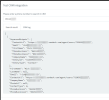
Here is a screenshot of the test from 3CX:
zendesk test screenshot.png

It displays everything correctly. There is a match with the correct information.
We have disabled ticket journaling.
All we want is to open the client in Zendesk.

When I do a call, I also see at Zendesk Admin that there is a request.

It must be a small thing I'm missing, but I can't see what.
 
Is there any other CRM contact in the 3CX Phonebook for the same number?
Is this number also a mobile number of an extension?
 
  • Like
Reactions: edossantos
Is this number also a mobile number of an extension?
BINGO! It was indeed a mobile number of an extension. Thank you so much!
It is working now. Have a nice day.
 
Glad to know this is resolved!!!
 
  • Like
Reactions: edossantos
Status
Not open for further replies.

Members Online Now

Forum statistics

Threads
111,842
Messages
589,320
Members
164,677
Latest member
skander