Call Recording 404 - Only on early users added to system

Status
Not open for further replies.

Clnt Walker

Customer
Joined
Sep 12, 2018
Messages
17
Reaction score
3
All, we just turned on "call recording" for some extensions that were added to the 3cx system a long time ago and we are getting a 404 when we try to download the file from the ADMIN site. Those same EXTs when we use the WEBCLIENT, we see some kind of Identity as the filename (0 byte file). When we compare the process to other extensions we can see [NAME]_EXT-Phone#_Phone#(Id#).wav

I have exported the EXTs for those that work and DONT work. The data is the same.

Thoughts?
 
For the extensions that you are having the problem downloading the recordings, make a new call now, then try and download the recording file in 2 ways:
- From the Management Console --> Recordings
- From the Management Console --> Reports, and generate a "Call Report" type of report and try the download link for the recording.
 
While I'm waiting for the staff to get in, I did notice on the RECORDINGS view, that the EXTs that are NOT working, there is no DOWNLOAD icon on the rows for those EXT. We move the recordings daily.
 
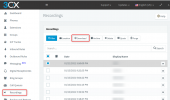
If I understand correctly, if you are in the Management Console --> Recordings, you should see this:
1612273211152.png

Is this what you see? If yes, are the recording files there?
 
If I understand correctly, if you are in the Management Console --> Recordings, you should see this:
View attachment 20460

Is this what you see? If yes, are the recording files there?

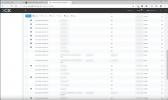
I see this. The EXT NOT working do not have the ICON.
1612339210295.png
 
Ok, so the icon next to the Recording entries is the "Archiving" icon, not if you can download them or not.

Select one of the entries that is not Archived and press the Download button.
 
For the extensions that you are having the problem downloading the recordings, make a new call now, then try and download the recording file in 2 ways:
- From the Management Console --> Recordings
- From the Management Console --> Reports, and generate a "Call Report" type of report and try the download link for the recording.
MC->Recordings = 404
MC->Reports - Right Play - 404, Left Play =

Hmmm… can't reach this page​

 
So the acrhived recordings you can download from MC --> Recordings, but the recordings that are not archived you can't download?
Please be clear about what you are trying, we are just trying to help.
 
So the acrhived recordings you can download from MC --> Recordings, but the recordings that are not archived you can't download?
Please be clear about what you are trying, we are just trying to help.

Correct - we have all recordings to be "archived" each day. Those recordings that are NOT archived for those EXT we cannot download.
 
From the looks of it, the first problem is that they are not being archived for some reason, whereas others are being archived.
The only reason where I can think that you are both getting a 404 error and that files aren't getting archived is that the actual recording file is not found on the disk and it may have to do with the 0 byte filesize you mentioed initially..

I think someone would have to take a closer look at this system to see why this is happening, so I must suggest you contact a 3CX Partner to help.
 
From the looks of it, the first problem is that they are not being archived for some reason, whereas others are being archived.
The only reason where I can think that you are both getting a 404 error and that files aren't getting archived is that the actual recording file is not found on the disk and it may have to do with the 0 byte filesize you mentioed initially..

I think someone would have to take a closer look at this system to see why this is happening, so I must suggest you contact a 3CX Partner to help.
I will do that. My gut tells me that these EXT have some kind of formatted string issue that is being used to save the data to the drive and these EXTs that is string is either missing or not filled out correctly.
 
Status
Not open for further replies.