Solved Calls go directly to voicemail

Status
Not open for further replies.

danimal

Free User
Joined
Apr 24, 2017
Messages
27
Reaction score
2
I'm having an issue with calls suddenly going straight to voicemail on an extension. Nothing has changed with my incoming call plan for this extension and its setup is exact to another extension that does not have the issue.

3CX v. 15.5.0, standard perpetual license.
Server is remote.

In my logs I see this:

SIP Server/Call Manager ID: 4101
Extension 101 is unregistered, removed contact: sip:[email protected]:5060;rinstance=blablabla ;inst="blabla"

then a second later it says something like

SIP Server/Call Manager ID: 4101
Extension 101 is registered, contact: sip:[email protected]:5488;rinstance=asdfadfasdfasdf

thanks for the assistance!
 
What type of set/device, is this extension, as it is not shown as registered to a physical "location" as such.
 
What type of set/device, is this extension, as it is not shown as registered to a physical "location" as such.

Thanks for replying.
Its a Yealink T41P phone.
 
But 127.0.0.1 is a loopback IP, or localhost, not a normal local IP of a physical device such as 192.168.0.23 normally picked up using DHCP, or assigned.
 
But 127.0.0.1 is a loopback IP, or localhost, not a normal local IP of a physical device such as 192.168.0.23 normally picked up using DHCP, or assigned.

Hi, yes i am puzzled by this as I thought my configuration is correct and phones are provisioned, etc etc. I'm asking my SIP provider if they can provide any input.
 
They said its a 3cx issue.
 
The standard first response is (1) make sure the phones are on the proper supported firmware, and (2) ensure the phones are properly auto provisioned. After that, you have to ask yourself, is it possible I'm losing network connectivity? Or is it possible I have multiple devices using the same IP address (one statically assigned and one via DHCP). When you start seeing a device randomly and regularly losing registration, my first thought is network connectivity.
 
Hello @danimal

regarding your issue, as a first step, please tell us, with which method did you provisioned the extension?(Stun or SBC remote)

Under Extensions(select extensions)>>Status, what is the current status of this extension?
In the appropriate profile (if available status then under Forwarding Rules>>Available) what is the routes for calls and what is the ring time?

Are you trying incoming calls or extension to extension. do you face the same behavior on both cases?
 
Hello @danimal

regarding your issue, as a first step, please tell us, with which method did you provisioned the extension?(Stun or SBC remote)

Under Extensions(select extensions)>>Status, what is the current status of this extension?
In the appropriate profile (if available status then under Forwarding Rules>>Available) what is the routes for calls and what is the ring time?

Are you trying incoming calls or extension to extension. do you face the same behavior on both cases?


Hello, thanks for the replies. I checked the advice from @voiptoys.

-- The firmware is correct, Yealink T41P firmware is 36.82.0.20, as per 3CX webpage.
-- I provisioned via Direct SIP, Stun - remote.
-- Status shows the correct IPv4 address for my LAN which is 192.168.1.xxx
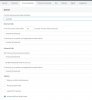
-- I'm attaching the status page as a screenshot.
-- This happens for both incoming calls and extension to extension calls.

Thanks!

statuses.JPG
 
Do you see the phone as registered under the Phone tab of the management console? Also is the phone able to make outbound calls or calls to other extensions?
You could be loosing connectivity for some reason. Make sure that the phones has a unique sip port assigned as well as unique RTP ports and that these ports are forwarded to the local IP of the phone at the remote site.
https://www.3cx.com/3cxacademy/videos/intermediate/configuring-remote-extensions/
 
Well this is embarrassing! I don't use the 3cx mobile app that frequent. I went to open it up and noticed it was set to "Away" status. So I must have inadvertently changed it with a fat finger. Well all good for now. I'm still puzzled about the log messages and will spend more time on soon. Thanks, everyone, and hope this helps someone else! :D
 
  • Like
Reactions: jed
Glad to see the issue has been resolved and thank you for updating the thread with your solution
 
Status
Not open for further replies.

Latest Posts

Forum statistics

Threads
111,885
Messages
589,547
Members
164,744
Latest member
johnblackwood1