calls go straight to voicemail

Status
Not open for further replies.

goinghosted79

Silver Partner
Basic Certified
Joined
May 3, 2022
Messages
81
Reaction score
7
when two callers call in at the same time one of the callers get sent to voicemail. i have the did assigned to a ring group that is set to ring all and there are 8 members in that group. none of them are on the phone but if two calls come in at the same time one rings all phones while the other is sent to voicemail. how do i get all phones to ring on all calls. we are using a pro license with 8 sim call paths
 
Regarding your question, firstly, I suggest checking to make sure that the calls are routed to the ring group, checking your inbound rule, and that the DID number format configured matches what the VoIP provider is sending the call to.
 
would all of that have to be correct for the first call to come through? i have my inbound route set to extension-ring group and looking at the ring group it has that did listed. the first call comes through to all users in the group but the second call goes straight to voicemail, but if the calls dont come in at the same time everything works fine. so if a users answers the first call then another call comes in it rings through. it's only if two calls are ringing the group at the same time
 
Ah, in this case, Your ring group is set up with a polling Strategy of Ring All, which means that while the first call is ringing on all the phones in the ring group, a second call can not be taken until the first is answered. The second call is expected to go to the destination if no answer, which is whichever voicemail you have set up.

You can change the polling strategy to Prioritized Hunt, or if subscription permits, use Call instead of ring groups.
 
my only two options are ring all and prioritized so i'm guessing the option for Call is only on enterprise license as this is the pro license. but yes i have it set to ring all
 
is there a way for me to log everyone into this queue, right now it's set for ring all but only a couple of users phones are ringing so i assume it's because they are not logged in?
 
Ring groups do not offer the option to log in or out. This is only an option with queues.
 
sorry, i put them all in a call queue with a ring all as the polling strategy but only a couple of the phones are ringing. when i look at the users they all show logged in so i'm not sure why all phones are not ringing. i double checked and everyone is a member of the queue
 
i have the box unchecked for logout of queue under the users, forwarding rules tab for available and all members are set to available but some of their phones are not ringing when i dial in. Again the queue polling is set to ring all and i've confirmed that all users are members of this queue and logged in as far as i can tell
 
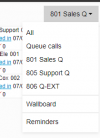
Make your extension a queue admin from under the management console > Call Queues > Selected the queue > Notification tab and open your webclient, navigate under the panel, on the left, and form the right side drop down where it says all, choose the queue.

Check the members are showing logged in, as below:

1688665548158.png
 
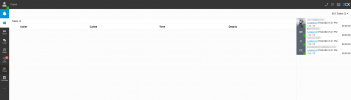
i made my extension the manager of the queue and also a member of the queue but when i click on the right hand side i do not see that call queue. all i see is all groups favorites and default
 
You should see something like this in the top right corner drop down

1688666492431.png
 
no i dont see that, does my user need to have another setting enabled other than having it set as the queue manager?
 
Can you please send a screenshot of what you see?
 
Kindly edit your reply and blur the FQDN and the names of your team members, or remove your screenshot, then see below

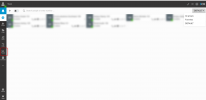
You need to choose Panel first, on the left , to see the drop down required.

1688667676910.png
 
Status
Not open for further replies.

Forum statistics

Threads
111,974
Messages
590,081
Members
164,899
Latest member
mazet