You can stop your Hosted by 3CX instance from your portal.
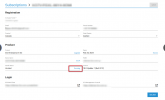
Login to your portal and navigate to My Systems and select your subscription, then on Install Status click on the Running button and a window will pop up asking you to select an action. Choose Stop and then click on Execute.
Once the machine is stopped it will automatically be deleted from our Hosting after 7 days.
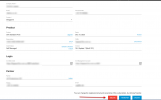
Now if you want to delete the Subscription also, then login to the portal with the registration email credentials and you will be able to see the Delete button at the bottom left side of the Subscription page.