Solved Cannot answer outer prompts

Status
Not open for further replies.

mrvik

Free User
Joined
Apr 16, 2019
Messages
4
Reaction score
0
Hi!
I've configured 3cx on my office, everything is working well (internal calls) and I can make and receive calls from the SIP trunk. But there is a issue with remote prompts (those saying "Press 1 to..., Press 2 to..."). I press those buttons, but seems like the 3cx server doesn't forward them, so for the remote server is like I'm not doing anything at all.
I don't know if I'm losing something or there is a misconfiguration. Is it working on other installs?
 
hi @mrvik

There are few things to consider for DTMF key presses. Can you give us some information like:

  • Does this happen for external calls when you ring a 3rd party's IVR?
  • What provider do you use (IP-based? Analog lines via Gateway?)
  • What is your PBX complete version?
  • What phones do you use and, are they using supported 3CX firmware and templates?

This is some of the basics that can make a difference in isolating your issue, since DTMF key presses have 3 different methods that can be delivered and when using gateways you need to ensure that they support DTMF Relay otherwise the keypress may never reach the other side.
 
hi @mrvik

There are few things to consider for DTMF key presses. Can you give us some information like:

  • Does this happen for external calls when you ring a 3rd party's IVR?
  • What provider do you use (IP-based? Analog lines via Gateway?)
  • What is your PBX complete version?
  • What phones do you use and, are they using supported 3CX firmware and templates?
This is some of the basics that can make a difference in isolating your issue, since DTMF key presses have 3 different methods that can be delivered and when using gateways you need to ensure that they support DTMF Relay otherwise the keypress may never reach the other side.
Hi, this only happens on third party calls (outside of the network). My provider is Telefonica (IP based) and 3CX version is the latest for Linux (Debian based) but I had this issue also in older versions. The phones are Cisco 502G with latest firmware (manual provision and updating)
Can this issue be related to the fact of manual provision instead of automatic? I didn't touch anything related to DMTF on phones
 
Most likely, if you are only adding the login credentials. Follow this guide to see if you can provision them the 3CX way and you might be able to get it to work https://www.3cx.com/Sip-Phones/Cisco-SPA/

Alternatively, if you can change the DTMF options on the phone manually, try changing them one by one until you manage to make the key presses work.


Also you can set up an IVR on your system and dial it to see if you can make choices. That would be a good indication that your PBX can at least recognise the DTMF
 
Most likely, if you are only adding the login credentials. Follow this guide to see if you can provision them the 3CX way and you might be able to get it to work https://www.3cx.com/Sip-Phones/Cisco-SPA/

Alternatively, if you can change the DTMF options on the phone manually, try changing them one by one until you manage to make the key presses work.


Also you can set up an IVR on your system and dial it to see if you can make choices. That would be a good indication that your PBX can at least recognise the DTMF
Thanks for the fast reply, next Monday I'll try it
 
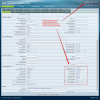
Here's an example for a similar model to help you find the location of the settings while logged in as Admin mode with Advanced View. I would start with setting DTMF Mode as "In band" and make sure the codec G711 is used when calling (can be seen in the packet captures for verification) to ensure that the audio quality is good enough for the other side to hear the DTMF clearly. I would suggest ensuring G711 from Phone->PBX->Provider which is the part of the route you have control over, and hope that the other end will not transcode to a lesser codec in order to preserve the tones as best as possible. Ideally I would use supported phones to ensure compatibility but if that is not possible then go for best effort.

10290

Time to replace the old phones yet? Take a look at the list of 3CX supported phones https://www.3cx.com/sip-phones/

Or better yet take advantage of our Webclient or Softphone solutions which are included in your PBX
 
I've enabled auto provisioning and started working like a charm.
Thanks
 
Glad it was resolved!
 
Status
Not open for further replies.

Forum statistics

Threads
111,922
Messages
589,748
Members
164,796
Latest member
Dame24