Solved Can't add IP phones to 3CX

Status
Not open for further replies.

jgriffin

Free User
Joined
Dec 7, 2024
Messages
2
Reaction score
0
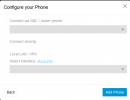
For some reason, whenever I try to add an IP phone manually the options are grayed out. Anyone know how to fix this?
 
What kind of phone is it? If its an router phone, you need to be on the actual firmware to provision. If you dont have an router phone, you need to install an sbc.
 
  • Like
Reactions: JohnS_3CX
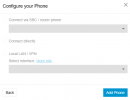
We are having the same issue; it is greyed out and we cannot select anything... We are running on
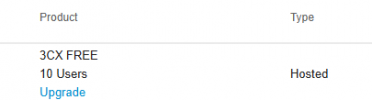
3CX FREE 10 Users.


Screenshot 2024-12-13 135332.png
 
Same answer... you need an sbc or router phone.
 
  • Like
Reactions: JohnS_3CX
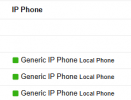
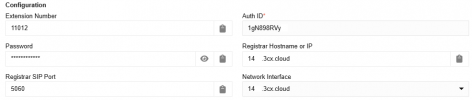
We already have phones configured and working on this 3CX server without an SBC or router phone present. Has there been recent changes to this? The phones are configured on the network interface "140x.3cx.cloud".

1734077375686.png
 
This was always the case for SMB.
 
  • Like
Reactions: JohnS_3CX
Well, previously we could just select an interface under "Local LAN / VPN" and then configure the phones accordingly using the details generated...
 
This is only for self hosted or on premise. SMB was always sbc or router phone.
 
  • Like
Reactions: JohnS_3CX
This one is cloud-hosted by 3CX.

1734079318565.png


How come these phones were able to be set up previously and are still functional? but now the option is blanked out when trying to setup new phones.

1734078991013.png
 
I am not sure how do you get this phones in there. For SMB it was always the same. SBC or routerphone.
 
  • Like
Reactions: JohnS_3CX
Status
Not open for further replies.

Members Online Now

Forum statistics

Threads
111,832
Messages
589,286
Members
164,662
Latest member
DejanMDS