- Joined
- Sep 8, 2022
- Messages
- 4
- Reaction score
- 4
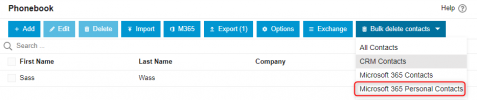
I have a new V20 deployment. I synced the users from M365 and initially had it sync the contacts for each user. The client then decided that they DON'T want the contacts synced so I disabled that tick mark on each user. The contacts remain the system and when you edit they are missing the pencil and the trash in the upper right corner so you can't delete them. I also tried the mass delete tool (Admin -> System - Phonebook -> Bulk Delete Contacts -> Microsoft 365 Contacts) but that did nothing because it looks like that is only meant to delete shared mailbox contacts which would show up in the Company phonebook.
Anyone have any ideas?
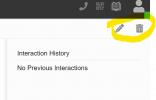
Manually-added contact:
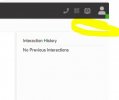
M365 synced contact:
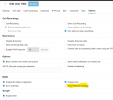
User settings clearly showing that the contact sync is disabled:
Anyone have any ideas?
Manually-added contact:
M365 synced contact:
User settings clearly showing that the contact sync is disabled: