Solved Can't make/receive calls via my pstn gateway after upgrade from Windows to Debian3cx

Status
Not open for further replies.

KenMullins

Free User
Joined
Jun 27, 2019
Messages
5
Reaction score
1
I've had 3cx working on a windows machine for a while without too many issues. I've just migrated the windows 3cx to ESXi Debian3cx virtual machine with 3cx backup/replace. The only issue was that I had to manually reprovision my snom720 by putting in the direct path
http://10.0.0.50:5000/provisioning/REDACTED/cfg{mac} to the provisioning file in the phones advanced section of its web interface. I had to do this on windows as well. So more of a provisioning issue.

The problem is I can't receive/make calls once the phones are provisioned while on windows I could. My SIP Trunks entry for my Generic Gateway Device is showing a red status. But I can't find an issue with the configuration and the IP is pointing to the Gateway device.

All port forwarding is done and tests are all green. I'm going through a Linksys Voice gateway out to my normal phone line.

I have done some research but haven't found the answer. Any help will be much appreciated.
 
Last edited by a moderator:
***UPDATE*** Reset the SPA3102 and reconfigured based on a bunch of posts. SPA3102 now comes up with a green status in 3CX but still can't make/receive calls. Have gone from "Unavailable" status on the handset when dialed to nothing after dial. No sound, no message, no nothing. I've probably done something wrong in provisioning the SPA3102. :-(

I'm confused about 5060 & 5061. I defaulted through the install and thought that the port 5060 was my sip port. A bunch of posts say it's 5061. I had a look at my port forwarding and I'm forwarding both 5060 & 5061. In the 3CX SIP Trunk entry, it gives the IP and 5060 as the port. I've tried changing it in parameters to 5061 to see if there is any change but alas no, so changed it back. I remember reading a post saying you can't change the SIP port after an install so I'm not sure if it was doing anything at all.

I have tried the SPA3102 with both 5060 and 5061 with no luck.

I may have been fighting against myself with all the changes as I found that an IP had been blacklisted and as soon as I removed that my SIP Trunk status went green.

I'm not sure what to do now as I've run out of options. Maybe continue to change the SAP3012 config until I stumble across a winner?! :-(
 
Usually the Phone (if enabled) on the 3102 is set to 5060, and the PSTN line is set to 5061, or 5062 (as long as there is no conflict with the phone port). 3CX trunk settings must "point" to the correct port on the 3102.
Look through the 3CX Activity Log. Does the registration look to be correct (IP and port)? When placing an outbound call, again, is the IP (that of the 3102) and the port (that of the PSTN line), correct?
 
Thanks leejor.

Yes, the SIP Trunk seems to be registered ok as it has a green status. If I swap or duplicate the 5060/5061 in the 3102 setup (Line1/PSTN) the status will go red. Change them back and it goes green so I'm mildly confident that 3cx is communication with the 3102 correctly.
The 3102 is set to the correct 5060 for SIP Port on Line 1 and 5061 for SIP Port on PSTN Line and I've opened those ports with TCP/UDP in port forwarding to the correct IP Address.

I can't find any connection information in the logs. I presume the logs you are talking about are the ones downloaded after clicking Support -> General Support Information. A URL is emailed to me with the download link. Strangely the supplied link doesn't DNS LINK REDACTED FOR SECURITY REASONS so I have to replace it with my internal IP address and port 5000.
I am viewing the logs with the 3cx log viewing tool. I can see multiple STUN errors as follows

22/03/2020 06:32:02:278 | 8 | There's another STUN server that resolves to the same IP: 54.39.182.217:3478/UNKNOWN_TRANSPORT fk=0 tgt=; ignored
22/03/2020 06:52:02:324 | 8 | [CM306002]: There is no valid STUN server specified! External IP can not be resolved.
22/03/2020 07:12:02:347 | 8 | There's another STUN server that resolves to the same IP: 54.39.182.217:3478/UNKNOWN_TRANSPORT fk=0 tgt=; ignored
22/03/2020 07:29:41:671 | 7 | [CM503003]: Call(C:1): Call to <sip:[email protected]:5060> has failed; Cause: 408 Request Timeout/INVITE from local

But I've read a few threads about STUN server problems like this and they don't seem to be the issue.

Can you point me in the right direction for the logs that I need to view?

One other point, I said that my firewall check is all green, well it seems that "SIP ALG" has slipped back into red on the detailed firewall page but shows a green tick for firewall on theDashboard page. This was the case in my Windows machine and everything worked ok. I did try a fix on the windows machine but because everything worked ok I ended up leaving it. I haven't tried correcting it on the Debian machine.

Sorry about the flood of info, better too much than not enough ;-)

Cheers :)

Edited by a moderator: Please, NEVER post a link to a support bundle URL on a public forum.
 
Last edited by a moderator:
***UPDATE*** After many failed attempts I have incoming calls (yay) but unfortunately no outgoing calls (boo). When calling there is just blank.

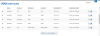
I've got outbound rules set
Rules.PNG

Did a wire Shark log and it comes back with
40 6.174831 10.0.0.230 10.0.0.50 ICMP 70 Destination unreachable (Port unreachable)
I've got all the port forwarding set.
port forward.PNG
I'm very confused :-(
 
*****SOLVED*****

Seems I hade 5060 & 5061 swapped (Line1:5060/PSTN:5061) and the Debian firewall only set UDP for 5060, not 5061. So I swapped them back and all is fine.

Well, I've learned heaps about the beast so time not wasted(much)!! ;-)
 
  • Like
Reactions: AWS2P
learning is never wasted time, well done for fixing :)
 
Status
Not open for further replies.

Forum statistics

Threads
111,940
Messages
589,848
Members
164,830
Latest member
business@brightwaylogisti