Solved Can't setup webmeeting today

Status
Not open for further replies.

Telcreek

Joined
Dec 30, 2016
Messages
25
Reaction score
2
I created a successful webmeeting yesterday however this afternoon when I tried to create a second meeting I got the following:

"The requested URL /join/... was not found on this server."

This occurs when trying to start a meeting from a 3CXPhone Client from a Windows PC. I also get this when I follow the listed extension webmeeting URLs. (https://webmeeting-FQDN.domain.net/join/alphanumericID. What am I missing?
 
Last edited:
Hello @Telcreek

Please try again now and let us know if that works
 
Hi Yiannis. Yes, works again! Thank you. I am also having a problem with webmeeting emails not being sent. The system email works fine, I use Gmail as the relay. I get system alerts and welcome emails are sent and delivered fine. After the webmeeting setup is now working again, I get a useful error this morning. When trying to invite, I now get the following in a temporary pink banner at the top of the invite list, after a 10 second hang:

"Mail server cannot connect to https://myfqdn.tld:5001/myphone"
 
Can you send me a screenshot of the error to see exactly what it is?
 
Port 5001 needs to be open on your system to be able to work properly with WebMeeting and presense for your 3CX Clients.
Open it and try again.
 
Hi. I have a screenshot to send. Port 5001 is open to the system. This port is restricted based on the IP at the home office. I am trying to start the web meeting from the home office IP.
 
What do you mean by "This port is restricted based on the IP at the home office"
Webmeeting is Not something between the home office IP and the pbx only.
Webmeeting involves webmeeting.3cx.net server and a bunch of robot MCU's dispersed and scattered round the world.
Implement the restrictions after you get it working.
 
Hi Nicky, this convo is also going on via support. I do want to post the outcome here for others to see but perhaps best to keep this in support until resolved. For the record, port 5001 is open, I have access to the web admin tool from the start. Web meetings also working fine if I send the link to the meeting out of band. The only thing that doesn't work at the moment is the sending of Web Meeting invites. This system is hosted. I am sincerely hoping the answer to this problem is not to open the admin web portal to the world in order for web meeting email invites to work.
 
Hi Telcreek,

I've checked into your ticket.
It really does seem that your 5001 port is unreachable. My attempt to telnet to telcreek.elastix.com 5001 from anywhere has been unsuccessful.

From inside your network you may see that it is open, but this port is closed to the outside world.
You can also verify this by going here: http://ping.eu/port-chk/ and entering your PBX FQDN and port 5001

Also keep in mind that this port may be different depending on whether you used the default 5001 or used a different value during installation.
 
Hi Leonidas,

Thank you for the reply. Yes, I purposefully blocked 5001 from the world as it's the port the admin web interface runs on. I did not realize it was utilized by other services. There seems to be two documents that cover port usage for 3CX. I operated from the first of the two below:

https://www.3cx.com/docs/3cx-phone-system-v14-ports/

https://www.3cx.com/docs/manual/firewall-router-configuration/

I see in the second document that there is a reference to web meeting and 5001.

I wanted to reiterate that limited access to 5001 only stopped me from sending email invites. I have had 3 successful web meetings with multiple participants with 5001 blocked from all but my office IP address. The initiating client is located at the trusted IP.

So I will consider this case closed but I am still curious, why does web meeting share info on the same port as the admin web interface? I run a few web-based services and explicitly restrict admin level permissions to trusted IPs because there are at best weekly bugs in web tools to mitigate against, especially anything running php. If I host a service, I want to limit the attack surface as best I can. Will 3CX ever split web meeting and admin portal access? I feel like the web meeting access to port 5001 is a leftover part of the deprecated 'myphone' web app so I hold out hope that one day I can continue a strict firewall policy.
 
Provisioning uses 5001 too, which I took for granted, so I would have a tough time with roaming clients as well if 5001 wasn't completely open... Go go Anti-Hacking Module.
 
hi
I chek 5001 port . port is open
firewall chek ...ok
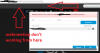
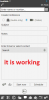
but Meeting Server can't connect to Meeting Server can't connect to https://myfqdn:5001/myphone/
my pbx version 15.5 pls help me
 

Attachments

  • web2.png
    web2.png
    25.5 KB · Views: 19
  • webmeeting.png
    webmeeting.png
    15.4 KB · Views: 19
Please send me your FQDN via PM to check.
 
  • Like
Reactions: Atash Tagiyev
Same problem here. We use 443 port fotr HTTPS ad it is opened.
I also check that 5001 is open but nothing, we continue to have "Meeting Server can't connect" error after 15 --> 15.5 upgrade

i think the problem is that the page https://myfqdn:443/myphone does not exist, but actually HTTPS is working (see below) correctly:

upload_2017-6-23_10-22-52-png.5794


upload_2017-6-23_10-24-52-png.5795


upload_2017-6-23_10-26-33-png.5796
 
this is the check that port 443 (we do not use 5001) is opned:
upload_2017-6-23_10-32-55.png
 
customer is using untrusted certificate, does it affect to this problem?
 
customer is using untrusted certificate, does it affect to this problem?
If this is the issue I can use a trusted certificate.
I will try and let you know!
 
by the way... How can I import a new certificate in 3CX?

I have a valid wildcard certificate *.mydomain.com in xxxx.PFX format and don't know how to use that in 3CX.
 
Last edited:
OK, with a little help now my 3CX PBX is configured with our new Wildcard certificate and now all is working right!

So I can confirm that with an unsigned certificate 3CX WEBMEETING is not able to send invite, but with a valid signed one all is working.

Bye!
 
  • Like
Reactions: bruno.fukunaga
Customer wants to use own FQDN and certificate. Where do you recommend him to buy a certificate to not have the same problems?
 
  • Like
Reactions: bruno.fukunaga
Status
Not open for further replies.