CDR File Access

Status
Not open for further replies.

alkyred

Joined
Aug 17, 2021
Messages
15
Reaction score
3
It seems that there may be more reporting capabilities externally if I have access to the CDR files. Our system is running on a Linux server in our vendors datacenter. How can I download those files or have our vendor send them to us? Where is the CDR file located?

Thanks,

Todd
 
Hi @alkyred,

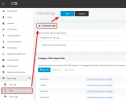
You can generate the CDR log from the Management Console under Reporting >> CDR >> Generate CDR >> OK.

1632989009863.png

Once done, navigate to the log from the Dashboard >> Activity Log >> Logs >> Instance >> CDRLogs.
 
You may also want to consider taking a look at our 3CX Exporter tool. One of the things Exporter does is automatically detect when a new CDR file is created by 3CX. It will open the file, parse the data, and automatically replicate the data to either Microsoft SQL Server or MySQL. This works even when your 3CX server is hosted on Linux in the cloud and your SQL server is on-prem. The data transfer is encrypted (TLS) and employs JWT Token Authorization to replicate the data.

In addition to replicating the CDR data in real-time, Exporter can also replicate all the internal call data and queue statistics too. The replication of this data is performed on a scheduled basis (default every 60 seconds). This ensures that you have up-to-date information at all times. Now you can have access to all the same data 3CX uses for their built-in reports automatically.

Once you have the data, you can use the reporting tool you prefer (Power Bi, Crystal Reports, SQL Reporting Services, Excel) to build your own custom reports using the same data 3CX uses for their built-in reports.
 
Status
Not open for further replies.

Forum statistics

Threads
111,977
Messages
590,090
Members
164,904
Latest member
gdstratton