- Joined
- Apr 24, 2020
- Messages
- 27
- Reaction score
- 3
Last edited by a moderator:
When I visit our PBX site on the web browser it's still showing the old certificate.What do you mean the certificate doesn't appear to be there ?
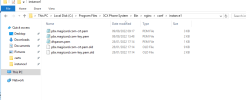
You have *.crt.pem and *.key.pem files - are these the ones you uploaded to the server ?
Are these the new files , downloaded from your ssl provider ?
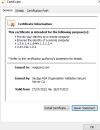
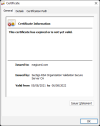
The certificate now in use is the new one.As @Saqqara suggested, check the certificate validity as the one you have uploaded still shows that it expired on 06/08/2022


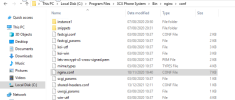
What should the dhparam.pem be? Where is it obtained from? Does that need to be updated?This is the certificate the PBX is showing currently:
View attachment 31416
Suggest checking the certificate that you have uplaoded again, and note also, you only really need one intermidate and one root with the certificate for the FQDN on the top followed by the intermidate and then the root at the botton of the pem file.
Make sure that once this has been done to restart the Nginx webserver service.
Additianal note: Ensure the private key that you are uploading is the correct one for the new certificate otherwise the Nginx service will not start back up.
Founded in 2005, when VoIP was an emerging technology, 3CX has gone on to establish itself as a global leader in business communications.