- Joined
- Mar 4, 2025
- Messages
- 12
- Reaction score
- 5
In the CFD I am designing for a telephone exchange of one of our clients, the first step is to recognize the caller's number by querying an endpoint.
If the number is recognized, everything seems to work correctly: the user accesses a looping IVR menu that allows them to navigate through various options.
What I am struggling to configure correctly is the case in which the number is not recognized by the endpoint. Currently, the user is redirected to another menu, where a message asks them to press "1" if they are still authorized to access the main menu; otherwise, they can hang up.
In theory, by pressing 1, the user should be transferred to the looping IVR mentioned above. However, instead, the call drops, and in the log, I find:
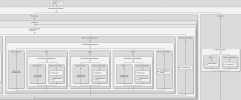
I had assumed that the transfer should follow this syntax, which is apparently incorrect (see attachment).
Does what I’m trying to do make sense? Or am I approaching it completely the wrong way?
If the number is recognized, everything seems to work correctly: the user accesses a looping IVR menu that allows them to navigate through various options.
What I am struggling to configure correctly is the case in which the number is not recognized by the endpoint. Currently, the user is redirected to another menu, where a message asks them to press "1" if they are still authorized to access the main menu; otherwise, they can hang up.
In theory, by pressing 1, the user should be transferred to the looping IVR mentioned above. However, instead, the call drops, and in the log, I find:
| C:53 Transfer request by L:53.3[Route:900@{}{a8f48048b964}] cannot be performed: no valid target |
I had assumed that the transfer should follow this syntax, which is apparently incorrect (see attachment).
Does what I’m trying to do make sense? Or am I approaching it completely the wrong way?