- Joined
- Sep 26, 2024
- Messages
- 12
- Reaction score
- 0
Hello,
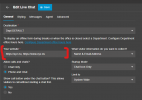
I have on my website (https://www.xxxxx.com) the html export of the code. Seems to work at certain times of the day, but not, its really choosy when it works, when I look at developer tools I see the following:
I don't know what is causing this to happen, however, I would like to try and get to the bottom of it, using ChatGPT it says to get access to the code and add some info to the header output:
----------------------------------------
Let me know your thoughts, I don't know if its only for me as I'm stuck behind a firewall where a nginx proxy manager is routing the http/s to it. Seems to work well, but yea.
Edit: I would love to see the ability to include various levels of hostnames towards the use of it - seems to be working now, however as its after the hours of closure... It doesn't listen to the defined office hours and I was able to confirm its in EST, and the timezone for the office hours are set to 9 to 5 M-F
Halp.
I have on my website (https://www.xxxxx.com) the html export of the code. Seems to work at certain times of the day, but not, its really choosy when it works, when I look at developer tools I see the following:
Access to fetch at 'https://yyyyyyyyy.mi.3cx.us/MyPhone/c2cinfo?c2cid=XXXXXXX' from origin 'https://xxxxxx.com' has been blocked by CORS policy: No 'Access-Control-Allow-Origin' header is present on the requested resource.
I don't know what is causing this to happen, however, I would like to try and get to the bottom of it, using ChatGPT it says to get access to the code and add some info to the header output:
----------------------------------------
Let me know your thoughts, I don't know if its only for me as I'm stuck behind a firewall where a nginx proxy manager is routing the http/s to it. Seems to work well, but yea.
Edit: I would love to see the ability to include various levels of hostnames towards the use of it - seems to be working now, however as its after the hours of closure... It doesn't listen to the defined office hours and I was able to confirm its in EST, and the timezone for the office hours are set to 9 to 5 M-F
Halp.
Last edited by a moderator: