Solved Cloud browser audio and local audio bridge not working together

Status
Not open for further replies.

rgruber

Forum User
Joined
Mar 12, 2020
Messages
143
Reaction score
14
Hello all, have issue with our webmeeting and our local audio bridge not working together. When people are on the cloud webmeeting, they can hear each other, however, when you dial into the local audio bridge with the pin, it almost seems like you aren't in the meeting, the different audio platforms aren't working together.

We are running windows, 3cx version 16.0.07.1078. Firewall checker comes back all green, and nothing has changed recently. It was working last week that I know of. Does anyone know of any service issues? Thanks.
 
Try something so that we can try and rule out any provider issues, from a Web Client schedule a video meeting and join it, then go to "Add Participants" option and see the Conference ID.
Now from a local extension of the PBX (Mobile App, IP Phone, something you know that works), dial 700 (conference extension) and insert the conference ID to join this meeting.

In this setup, is there 2-way audio between the Web Meeting/Orginizer and the extension that joined?\

[edit]
Don't forget to unmute the extension that dialed in.
 
I have had conversations with my provider, siptrunk and i have taken wireshark captures. it appears that no data is being passed from the pbx out the firewall, which goes to 3cx webmeeting. There is two way communication showing on the captures, no data being sent from the PBX. it is fine when you are doing all browser, I think I already mentioned that in the previous. Local audio bridge seems to no be sending audio to 3cx webmeeting.
 
I see, but I would like you to tell us what happened with the small test I suggested running.
 
Nick, I tried what you said, there is no audio that passing to the webmeeting. If you dial into the audio bridge with a cell phone or local desk phone, you can only hear others that logged in via that same method. All the individuals in the webmeeting can also hear each other, but there is NO single or dual way audio between the webmeeting and audio bridge.
 
Last edited:
I tried a few of the MCUs to see if there may be an issue like this and didn't manage to come up with something, so I am thinking that it may be something specific to your installation.

In that case, I can only think of a few things that could cause this. Those are:
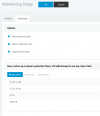
  • Check that the settings of the "WebMeeting bridge" (it's in SIP Trunks) have not been changed. They should look something like this
    1610955102419.png

  • Re-run the Firewall Checker (if you have not done so already), because you may have ran it in the past and passed, so it was green, but something may have changed in the meantime.

  • Check your Firewall to see if there are any Geo-IP settings. This is a very common cause of such issues. What happens during a "dial in" to a WebMeeting is that the PBX sends and receives audio from the MCU where the WebMeeting is taking place. MCUs however change over time, so their IPs may also change.
    There is no way of predicting the IPs, so Geo-IP protection need to be turned off.

If none of this works, it may be a good idea to contact the 3CX Support Team to get this looked into.
 
This is from May 2020.....
I think you should check this with the partner as you have already started working on.
 
I think a ticket has been submitted so hopefully we can find a resolution. I don't have the option to change the MCU in the version I have. Maybe new version will have adjustments for that. Thanks for your support!
 
  • Like
Reactions: NickD_3CX
  • Like
Reactions: NickD_3CX
Glad we could be of assistance!
 
Status
Not open for further replies.

Forum statistics

Threads
111,973
Messages
590,078
Members
164,896
Latest member
sameage