


- Joined
- Jun 19, 2018
- Messages
- 6
- Reaction score
- 1
Greetings all,
We're running 3CX 16.0.910 on Debian, on-premise. We are currently migrating from Elastix 2 and installed our virtual appliance using the migration tool that exported all our PBX configuration from Elastix about a year ago. For the most part all has been well with the system except that the system extension *1 (Call Parking) wasn't registering. I tracked it down to the default dial codes in Settings had been changed based on the Elastix codes during the import. Our setting for "Pick up a parked call" was set to *85.
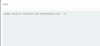
I manually set all the dial codes back to the default values, but when I changed 85 back to *1 the management console displayed a pop up with the error "Commit failed on transaction Save Wparkextension.143 - '1'", which I can only presume is telling me that changing the field in the DB failed.
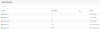
Oddly, the system extension *1 now shows registered, but *85 is still appearing in the list and shows Unregistered. I would like to make *85 disappear and then all would be well.
Anyone have any suggestions on how I might hack this and get *85 removed from the DB without borking the whole thing?
Phones are Yealink/Snom, no custom templates, firewall checker is happy, one Twilio SIP trunk and a bridge to Elastix.
Thanks and cheers!
B.
We're running 3CX 16.0.910 on Debian, on-premise. We are currently migrating from Elastix 2 and installed our virtual appliance using the migration tool that exported all our PBX configuration from Elastix about a year ago. For the most part all has been well with the system except that the system extension *1 (Call Parking) wasn't registering. I tracked it down to the default dial codes in Settings had been changed based on the Elastix codes during the import. Our setting for "Pick up a parked call" was set to *85.
I manually set all the dial codes back to the default values, but when I changed 85 back to *1 the management console displayed a pop up with the error "Commit failed on transaction Save Wparkextension.143 - '1'", which I can only presume is telling me that changing the field in the DB failed.
Oddly, the system extension *1 now shows registered, but *85 is still appearing in the list and shows Unregistered. I would like to make *85 disappear and then all would be well.
Anyone have any suggestions on how I might hack this and get *85 removed from the DB without borking the whole thing?
Phones are Yealink/Snom, no custom templates, firewall checker is happy, one Twilio SIP trunk and a bridge to Elastix.
Thanks and cheers!
B.


