config issues with Yeahlink dect

Status
Not open for further replies.

Michael Walter

Joined
Mar 31, 2018
Messages
15
Reaction score
0
I have configured the follow
2 Apple Iphones with the internal extention 01 and 02. With both i can recieve internal and external phonecalls.

I also i have configured one yeahlink dect WP56 with the extention 02.


the following is working internal calls between Iphone and dect. once i try to reach the yeahlink from the outside

the yeaklink speaker is dead but Mikrofone is working.

I checked (PBX delivers audio) but this doesnt work. so i unchecked this.

Any ideas?
Mike
 
If internal calls are working between the extensions, then I would say this is not the issue.

Check the firewall setup , what are the results if you run the firewall ? -
https://www.3cx.com/docs/manual/firewall-router-configuration/

What does the activity log show you, can you see the incoming call and be directed to the correct extension.

Incoming call, is this an DDI number - what happens if you change extension - does this ring ?

Check the activity log again, to see what number is being passed to 3CX from your SIP provider.

As you have two extensions on 02, does the iPhone ring ?
 
In addition to what @Saqqara asked, how is the Yealink provisioned to the PBX? Is it local or remote? If remote are you using SBC or STUN? This looks like an one way audio issue not a speaker issue so you may want to look at your firewall configuration and ports.
 
Hello
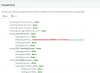
i have checked firewallsettings and i have run the checker. There is an issue anf honestly i have no idea how to fix it
And i have used Stun

Both Phones are ringing regardless if i can hear the other


fire.jpg router.png
 
As a first step i would recommend fixing the SIP ALG issue on the firewall as that might be causing audio issues. Make sure that SIP ALG is turned off on the firewall and run the firewall checker again.
 
  • Like
Reactions: Michael Walter
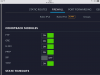
IMG_1621.PNG I turned off the sip alg on the unifi gateway and run the checker . Everything is green

But still I can't hear outside calls
 
Last edited:
The next step would be to open the ports specified under the Dect settings (both the SIP and RTP ports) on the remote firewall and port forward them to the local IP of the Dect device and see if that works.
 
@YiannisH_3CX

i have opend thoose ports and nothing happend
  • Port 5060 (inbound, UDP and TCP), Port 5061 (inbound, TCP) (if using secure SIP) - already open if using SIP Trunks.
  • Port 9000-10999 (inbound, UDP) for RTP - already open if using SIP Trunks.
 
i have opend thoose ports and nothing happend
  • Port 5060 (inbound, UDP and TCP), Port 5061 (inbound, TCP) (if using secure SIP) - already open if using SIP Trunks.
  • Port 9000-10999 (inbound, UDP) for RTP - already open if using SIP Trunks.
Did you open these ports on the Remote firewall? These ports should already be open on the PBX side not the phone side. To see the ports needed to be opened on the phones side please navigate to the FXS/DECT section of the management console and Edit your phone. Scroll down and look for the local IP port of the phone and the RTP ports. I would recommend increasing the RTP ports to 20 if you haven't done so already.
Then open these ports on the firewall in front of the phone and port forward them to the local IP of the phone.
 
Is SIP ALG disabled on the client side router?
 
Status
Not open for further replies.

Forum statistics

Threads
111,899
Messages
589,621
Members
164,765
Latest member
domi