- Joined
- Jan 21, 2011
- Messages
- 45
- Reaction score
- 0
First of all it is shocking that BT will sell VOIP or other services without understanding our needs.
When I placed my order I explained clearly that we have a PBX and will need voip to work with it. I was told it will.
Today I have received my VOIP details yet cannot get 3CX to ring out.
I have obtained a surepticious email with a url which apparently contains all the details needed to connect but it is not working yet so I need your help urgently.
the details provided are:
http://api.home/voipsetup.api?
SIPTransportProtocol=UDP
&SIPTransportPort=5060
&SIPRegistrarAddress=bmnhb-03.bt.com
&SIPRegistrarPort=5060
&SIPOutboundProxyAddress=www.bbvservice-560***.bt.com
&SIPOutboundProxyPort=5060
&SIPProxyAddress=bmnhb-03.bt.com
&SIPProxyPort=5060
&SIPPhoneNumber1=ZZZZZZZZZZZZZZ
&SIPCallerName1=
&SIPUsername1=ZZZZZZZZZZZZZZ
&SIPPassword1=*****************
&SIPPhoneNumber2=
&SIPCallerName2=
&SIPUsername2=
&SIPPassword2=
&SIPHashB=f23adae0eda1d47d7b6eb449e551b8f2
&SIPHashC=92e42aa9cfc375f2182ef60a2582a002
&SIPHashD=3fd3c07763a91b2612721c25c44a64a7
&SIPHash=34dfd4a078f758d65c8ada3b82045d2c
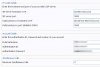
What I have done is create a new voip provide called BT and input the following details: please see attachment.
I would be grateful for further advice. many thanks
When I placed my order I explained clearly that we have a PBX and will need voip to work with it. I was told it will.
Today I have received my VOIP details yet cannot get 3CX to ring out.
I have obtained a surepticious email with a url which apparently contains all the details needed to connect but it is not working yet so I need your help urgently.
the details provided are:
http://api.home/voipsetup.api?
SIPTransportProtocol=UDP
&SIPTransportPort=5060
&SIPRegistrarAddress=bmnhb-03.bt.com
&SIPRegistrarPort=5060
&SIPOutboundProxyAddress=www.bbvservice-560***.bt.com
&SIPOutboundProxyPort=5060
&SIPProxyAddress=bmnhb-03.bt.com
&SIPProxyPort=5060
&SIPPhoneNumber1=ZZZZZZZZZZZZZZ
&SIPCallerName1=
&SIPUsername1=ZZZZZZZZZZZZZZ
&SIPPassword1=*****************
&SIPPhoneNumber2=
&SIPCallerName2=
&SIPUsername2=
&SIPPassword2=
&SIPHashB=f23adae0eda1d47d7b6eb449e551b8f2
&SIPHashC=92e42aa9cfc375f2182ef60a2582a002
&SIPHashD=3fd3c07763a91b2612721c25c44a64a7
&SIPHash=34dfd4a078f758d65c8ada3b82045d2c
What I have done is create a new voip provide called BT and input the following details: please see attachment.
I would be grateful for further advice. many thanks