


- Joined
- Jun 8, 2018
- Messages
- 20
- Reaction score
- 3
Who is familiar with using custom templates? I think I almost have it figured out, but it isn't fully working as expected.
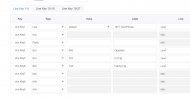
I'm trying to configure a key to be a prefix type. I was able to provision it to a phone but the button just says prefix and does nothing. Here is the config I set. Do you see any mistakes?
Thanks in advance.
#Configure Line Key3
{IF blf3}
linekey.3.line = 0
linekey.3.value = *88
linekey.3.pickup_value =
linekey.3.type = 40
linekey.3.label = Intercom
linekey.3.extension =
{ELSE}
linekey.3.type = 40
I'm trying to configure a key to be a prefix type. I was able to provision it to a phone but the button just says prefix and does nothing. Here is the config I set. Do you see any mistakes?
Thanks in advance.
#Configure Line Key3
{IF blf3}
linekey.3.line = 0
linekey.3.value = *88
linekey.3.pickup_value =
linekey.3.type = 40
linekey.3.label = Intercom
linekey.3.extension =
{ELSE}
linekey.3.type = 40


