Configuring multi tenant

tech365_tsyr

Bronze Partner
Joined
Dec 26, 2024
Messages
13
Reaction score
6
I have performed an extensive amount of troubleshooting and testing to absolutely no avail.

We're working to consolidate several separate instances into a single, multi-tenant instance.

We've setup departments, have users in those departments, and no issues there.

What we're having issues with is everyone can still see all other users on the system both in the "chat" as well as through BLF even when not in the department and have permissions to see the other departments.

We can do the "Hide Contacts" but that hides the contacts from people in the same department too.

Definitely want to stop managing so many servers but security and privacy between departments is very important.
 
Last edited by a moderator:
Make sure you have followed the multi tenant guide setup properly. Your setup does not appear to be in multi tenant mode.
 
Make sure you have followed the multi tenant guide setup properly. Your setup does not appear to be in multi tenant mode.
This is odd as my invoice as when I purchased it from the portal, I had choose the multi-tenant and had choose for it to be hosted by 3CX.

Am I able to start this process over or how do I convert it?

Thank you for your help.
 
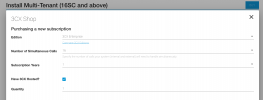
Below is the process I took. I am assuming during the install process something didn't work but I have no control when it's being setup and hosted by 3CX.

Can you assist me on what I can do to fix it?

I appreciate it very much!

1735443791835.png


1735443853266.png
 
  • Like
Reactions: N_G
you can open a support ticket... check that multi tenant param is set

Also Ensure that the users are only in one group, not in multiple groups or in the default group. Only the system admin and system owner can be in the default group. Otherwise all the users will see each other
 
Last edited:
  • Like
Reactions: Evolute IT
you can open a support ticket... check that multi tenant param is set

Also Ensure that the users are only in one group, not in multiple groups or in the default group. Only the system admin and system owner can be in the default group. Otherwise all the users will see each other

Thank you. I did submit a ticket.

I did verify that everyone is in a single group and not shared. We're testing on it and I've gone through each and every setting and configuration imaginable to verify this.

I couldn't find a setting for MCM or "tenant" or "multi" so I submitted the ticket as you suggested.

Thank you!
 
  • Like
Reactions: ChrisC_3CX
Im not sure how you are able to get 3CX Hosted as we don't support it yet. You do have the special multi tenant key right? You cant just use any key.
 
  • Like
Reactions: PaulC_3CX
Im not sure how you are able to get 3CX Hosted as we don't support it yet. You do have the special multi tenant key right? You cant just use any key.
I used the key that the portal gave me. I sent the screenshot that was given, went through the steps, it asked how I wanted to host it, and I choose 3CX hosted insteance.

If I need to take it to Azure, it's not a problem, but it did prompt me to selected 3CX Hosted as an option.
 
We have to check what but I think you did not buy the special multi tenant key but a regular one. I will pass it to our sales team to convert it to a multi tenant key. Did you make use of the offer?

During this time many of our staff are on holiday.

Any case I believe you configured everything correctly you just need to wait for this flag to be set and your multi tenant system will be up and running.
 
Last edited:
  • Like
Reactions: PaulC_3CX
I used the key that the portal gave me. I sent the screenshot that was given, went through the steps, it asked how I wanted to host it, and I choose 3CX hosted insteance.

If I need to take it to Azure, it's not a problem, but it did prompt me to selected 3CX Hosted as an option.
Hi, I just sent you an email to follow up :)
 

Latest Posts

Forum statistics

Threads
111,962
Messages
589,993
Members
164,867
Latest member
swegner