Solved Configuring SMS Integration Should Not Be This Difficult

Status
Not open for further replies.

RHopkinson

Bronze Partner
Basic Certified
Joined
Mar 31, 2019
Messages
84
Reaction score
15
After one of our techs mentioned that SMS was no longer working, I found the document "Missing your SMS with 3CX Update 6?" and was initially relieved to find that I would be able to have my "SMS provider working in no time!" After over two hours of referrals back to a dozen pages on Twilio's and 3CX's sites, I still don't have SMS working. So if anyone has accomplished this with Twilio and the latest 3CX update, you have my heartfelt congratulations as well as gratitude for any assistance you can provide.

So far, I have created the Elastic SIP Trunk in Twilio with the following items:
  1. Termination SIP URI
  2. Origination SIP URI
  3. Trunk SID
  4. IP Access Control List (containing the public IP address of our 3CX PBX)
  5. Credential List (containing a username and password)
  6. Phone Number (previously working number moved over to this Elastic SIP Trunk)
When trying to add the trunk to 3CX, in the General tab, I set the "Main trunk number" to the number I moved in item 6 above. I set the "Registrar/Server" field to the Termination SIP URI in item 1 above. I set the Authentication ID (SIP User ID) to the username created in item 5 above, and the Authentication password set to the password created in item 5 above.

IN the DID Numbers tab, I added no DID numbers, since 3CX would not let me add the same number as a DID that was already in the "Main trunk number."

In the SMS tab, I checked the option to Enable SMS, but do not know what to use for the values of Account SID (is that the same as Trunk SID in item 3 above?) and Auth token.

Again, you have my thanks, in advance, for assisting with this.

Russell Hopkinson
3CX Enterprise 18.0 (Build 312)
 
Hi @RHopkinson

In the document you followed there is a link for the Twilio guide which contain instructions on how to set up SMS and what you need to add in the management console. https://www.3cx.com/docs/sip-trunk/twilio/
I just followed the guide and it works.

Are calls to that number working?
 
Hi @YiannisH_3CX

I followed the document as specified and inbound calls to that number are being processed by the 3CX PBX. However, the Twilio document mentions nothing about the SMS tab in the 3CX trunk. The 3CX document says, "Navigate to the 'SMS' tab to enable it and copy the unique 3CX Webhook," but mentions nothing about the Account SID and Auth token fields which are required in order to save the updated config. What Twilio values (see items 1-6 above) are used to populate those fields?

Thanks, again,
Russell Hopkinson
 
From the guide:

Code:
Go to Twilio Portal’s start screen and scroll down to the “Account Info” section.
Save Account SID and Auth token. These will be used to complete the integration with the 3CX SMS.
 
  • Like
Reactions: Evolute IT
Hi @YiannisH_3CX,

I think we're getting very close. I completed the process as directed and verified incoming calls to the number are being processed, but we cannot send or receive text messages to/from the number. While no log entries are generated on Twilio's side for text messages sent from the 3CX client, we do get the following log info when trying to send an SMS message to the number:

WARNING 11200 There was a failure attempting to retrieve the contents of this URL.

sourceComponent"14100"
httpResponse"500"
url"https://messaging.3cx.com/v3/webhook/[REDACTED]/twilio/sms/[REDACTED]"
ErrorCode"11200"
LogLevel"ERROR"
Msg"Internal Server Error"
EmailNotification"false"

Thanks, again, for your review and reply.
 
Last edited by a moderator:
Review the 3CX webhook you added in Twilio. Make sure you used the webhook found under your Twilio trunk settings, in the SMS tab.
 
  • Like
Reactions: Evolute IT
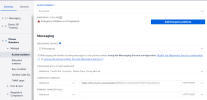
@YiannisH_3CX I verified the webhook shown on the 3CX SMS tab (under the Copy webhook URL section) is identical to the value in Twilio's configuration for the phone number (see attached screenshots).
 

Attachments

  • 3cx-webhook.png
    3cx-webhook.png
    34.8 KB · Views: 23
  • twilio-webhook.png
    twilio-webhook.png
    87.8 KB · Views: 21
@YiannisH_3CX, any other suggestions? We need to get messaging working with 3CX again.
 
@YiannisH_3CX, any other suggestions? We need to get messaging working with 3CX again.
Check the number setup correctly. If the webhook is correct, it should just work.

Also make sure you entered the DID in E164 in 3CX SIP Trunk.
 
@YiannisH_3CX, I drilled into the number section in Twilio and found another location for the webhook value (under Messaging Service -> Integration). I replaced the old value with the current webhook value, and inbound messaging is now working. However, no replies to the messages are being sent. They just appear in the chat with a red "x" to the right of the message. Your assistance is again appreciated. We're so close!
 
@YiannisH_3CX, I drilled into the number section in Twilio and found another location for the webhook value (under Messaging Service -> Integration). I replaced the old value with the current webhook value, and inbound messaging is now working. However, no replies to the messages are being sent. They just appear in the chat with a red "x" to the right of the message. Your assistance is again appreciated. We're so close!
That could be many things. Check in the Event Log in the management console, you should see any errors from Twilio.
 
  • Like
Reactions: JohnS_3CX
@YiannisH_3CX, I don't see anything logged on the 3CX (Dashboard -> Audit Log or Dashboard -> Activity Log) or on the Twilio side (Monitor -> Logs -> Messaging).
 
You need to check the Event Log on the dashboard, not the Activity Log.
 
@YiannisH_3CX, thanks again. I looked through Events and found the following:

Failed to send message(s) to the provider 'twilio' from '+1320[REDACTED]' to '+1561[REDACTED]'. Exception: {"code": 21606, "message": "The From phone number +1320[REDACTED] is not a valid, SMS-capable inbound phone number or short code for your account.", "more_info": "https://www.twilio.com/docs/errors/21606", "status": 400}

After verifying the number is SMS enabled and adheres to the E.164 format, I have opened a case with Twilio. I'll post the results.
 
@YiannisH_3CX, turns out that I was using the wrong Account SID and Auth token. All is working now. Thank you for your assistance and patience!
 
Status
Not open for further replies.

Latest Posts

Members Online Now

Forum statistics

Threads
111,831
Messages
589,276
Members
164,660
Latest member
RJenkinsROCK