- Joined
- Dec 21, 2023
- Messages
- 4
- Reaction score
- 0
Hi there,
We have a fully remote business where we have staff all around the world.
We have a support phone system set up on 3CX in which we have different departments for each countries support agents with their respective office hours set up based on their time zone.
During their day, they get automatically logged into their support queue and at the end of the day they get logged out automatically. This works great.
If a customer calls when support is all closed, it gets kicked into a ring group and this will call the on-call engineer. This also works great as this can bypass DND.
Our problem lies in internal phone calls. All these staff are remote and using 3CX either from softphones on their computers, or the 3CX mobile app. It's a common need for internal calls to be made between users internally before their office hours start or if there is an issue after their office hours end.
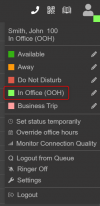
In DND mode which the office hours schedule automatically applies, there is no way to allow internal calls to still be allowed.
Is there a workflow I can do to work around this (ideally without forwarding to their personal mobile numbers)?
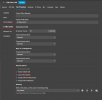
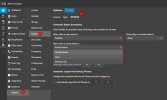
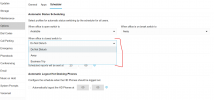
It would be fantastic either in User -> Schedule if there was an option to "Allow internal calls outside of office hours" and or in User -> Call forwarding if there was a similar option "Allow internal calls". This would really make 3CX tick all the boxes for us.
We have a fully remote business where we have staff all around the world.
We have a support phone system set up on 3CX in which we have different departments for each countries support agents with their respective office hours set up based on their time zone.
During their day, they get automatically logged into their support queue and at the end of the day they get logged out automatically. This works great.
If a customer calls when support is all closed, it gets kicked into a ring group and this will call the on-call engineer. This also works great as this can bypass DND.
Our problem lies in internal phone calls. All these staff are remote and using 3CX either from softphones on their computers, or the 3CX mobile app. It's a common need for internal calls to be made between users internally before their office hours start or if there is an issue after their office hours end.
In DND mode which the office hours schedule automatically applies, there is no way to allow internal calls to still be allowed.
Is there a workflow I can do to work around this (ideally without forwarding to their personal mobile numbers)?
It would be fantastic either in User -> Schedule if there was an option to "Allow internal calls outside of office hours" and or in User -> Call forwarding if there was a similar option "Allow internal calls". This would really make 3CX tick all the boxes for us.