ConnectWise Screen Pop

Status
Not open for further replies.

MSteele25

Bronze Partner
Advanced Certified
Joined
Jun 26, 2023
Messages
17
Reaction score
0
Okay, let me start off by saying the Integration as far as contact search and calling works between 3CX and connectwise. What I am trying to get working is the screen pop when someone calls in.

I run on an M1 MacBook Pro, running the web client of both 3CX web client and the ConnectWise web client. When I get a call, I get a screen pop but it states "Bad Request" or it goe to staging.connectiwse.com. I have the pribate and public key for the

That do I need to do to fully integrate 3CX with ConnetWise
 
Using the Chrome on a Mac will not make a difference because it is not a Windows machine.
If i understand you do get the pop-up but the redirection is not working correct?
 
Thank you for your response.....

With that said, I have come across some information that may answer some of my questions, and I ask you for verification...

1. I found out today that our ConnectWise is on Prem, not on cloud
2. I managed to get the screen pop to bring up the staging site without the Bad Request by changing the version we use online
3. Our 3CX is also hosted in our datacenter (Self Hosted) I dont think that would make a difference, but wanted to ask anyway
4. If I am using the desktop client on the PC with 3CX, I seem to get the same issue.
 
I'm afraid that the integration is only tested for the cloud CRM and not for the on-premise servers.
 
For what it's worth, it works fine with on-prem CW.
You need to check your CRM settings, specifically the domain section.
 
  • Like
Reactions: Evolute IT
I will keep poking around... Domain is set properly per the document from 3CX. I managed to get it to pop with our main "Today" screen from CW, but thats it.
 
Hello @MSteele25,

Let me see if I get this straight. So you see the contact details and CRM link in the Web Client when you receive a call from the contact's number? Can you share a screenshot of the dialer panel in the Web Client when you receive this call?
 
When someone calls in, their name will come up in the web client, and if we dial a number it will find the contact in CW. What I am looking for is for CW to pop up when someone calls in, but that is not happening to our hosted CW (On Prem).
 
The popup happens when the call is answered. Can you check if this is the case?
 
I have checked the domain, its set properly. Looks like everything is setup per the document provided by 3CX. The only time I see the popup is when I set the integration on the web client to supported CRM. It does not pop when I have it set to "Open Contact URL using Server Side CRM Integration".

When I use the "Open Contact in Supported CRM" In the 3CX web client, it defaults to staging.connectwisedev.com. I set my API version to v4_6_release as that is what our OnPrem CWM is using, which is v2022.1, but if I enter that as my API request, I get a pop that states "Bad Request"

We don't use the 3CX Desktop App, only the web client, and currently we use the installed ConnectWise Manage Desktop app, but from what I understand, we need to use the web client for CWM as well, which is fine, but I need to get a working demo before we push to our entire company.
 
I have checked the domain, its set properly. Looks like everything is setup per the document provided by 3CX. The only time I see the popup is when I set the integration on the web client to supported CRM. It does not pop when I have it set to "Open Contact URL using Server Side CRM Integration".

When I use the "Open Contact in Supported CRM" In the 3CX web client, it defaults to staging.connectwisedev.com. I set my API version to v4_6_release as that is what our OnPrem CWM is using, which is v2022.1, but if I enter that as my API request, I get a pop that states "Bad Request"

We don't use the 3CX Desktop App, only the web client, and currently we use the installed ConnectWise Manage Desktop app, but from what I understand, we need to use the web client for CWM as well, which is fine, but I need to get a working demo before we push to our entire company.
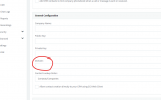
What do you have in this field?

1706907612535.png
The docs give the example of staging.connectwisedev.com, so I wonder if it's a copy/paste issue. I know you said you checked the domain, but I want to verify the spot
 
  • Like
Reactions: Evolute IT
@SweetAction It has our on prem connection domain we use for the web client for ConnectWise - connect.ne-t.com. From what I understand, it should use that when the screen pop happens, but it does not.
 
I set my API version to v4_6_release as that is what our OnPrem CWM is using, which is v2022.1, but if I enter that as my API request, I get a pop that states "Bad Request"
Hi,
Your ConnectWise seems to be operating with older SDKs. I recommend reaching out to ConnectWise support for assistance in updating it. Ensure you keep up with updates to maintain compatibility with services that need to communicate with your ConnectWise, such as 3CX.

Starting with 2019.1 the API is now tied to the ConnectWise PSA release cycle. Previously the API was versioned as it's own entity and followed a format such as 3.0.1. To provide clarity around the API Versioning and to make it easier for consumers, we have replaced 3.0.0 with the specific ConnectWise PSA version that the API model was released on.

Refer:

https://developer.connectwise.com/Best_Practices/PSA_Versioning?mt-learningpath=manage
 
Status
Not open for further replies.