Console Management Admin access not found

Status
Not open for further replies.

Alle CTEC

Silver Partner
Joined
Sep 11, 2023
Messages
360
Reaction score
45
3cx on premise debian 18.0 build 939,


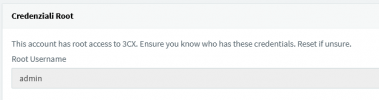
I log into ssh correctly as root, but as admin I can't log in via the web, it tells me that the username and password are invalid. I noticed that the admin user is greyed out???

I attach screenshots
1694539976785.png
 
Try the email address of the system admin or extension, this I noticed on a new build yesterday.
 
I set up our first server using the install wizard yesterday and was a bit confused (usually I've picked the Legacy setup path). During install it prompted for a username but apparently doesn't use that at all, when using the config file. It creates extension 100 as a system owner using the name and email from the 3CX customer account. If you log in with that you can create your own system owner extension, and on its Rights tab check all the "Allow access to 3CX Management Console" options. Then it can log in to the management console. It sounds like there will be no management console in v20 so one will only log in with their extension or email.
 
I upgraded to v20 from 18.0 (Build 20) and all works fine but i can't access with my previous admin account
I have another user who previously accessed the management console with ext + psw who now accesses but does not have the administrative part

So I can't make any more changes to the settings
Nice bullshit.. @#!£$

What can I do ?
PS. i'm owner of this 3cx instance on my local host
 
Login as the System Owner, extension or email
 
  • Like
Reactions: Evolute IT
I upgraded to v20 from 18.0 (Build 20) and all works fine but i can't access with my previous admin account
I have another user who previously accessed the management console with ext + psw who now accesses but does not have the administrative part

So I can't make any more changes to the settings
Nice bullshit.. @#!£$

What can I do ?
PS. i'm owner of this 3cx instance on my local host
Had you have set a System Owner user? If not, you'll need to downgrade using your latest v18 backup and a new instance.
 
@blondie63 A system owner extension was required with an earlier version of v18. You can try a forgot-password reset as long as the extension has a unique email address (otherwise it doesn’t send).
 
Had you have set a System Owner user? If not, you'll need to downgrade using your latest v18 backup and a new instance.
I've not a System Owner but i've an extension who previously could access the console
Is it possible to change his right modifying some setting logging as ssh root ?
 
No, access can not be changed via ssh
 
@blondie63 A system owner extension was required with an earlier version of v18. You can try a forgot-password reset as long as the extension has a unique email address (otherwise it doesn’t send).
Is there a way to list 3cx users logging as root by SSH ?
 
Maybe if you get into the database somehow. I’d suggest a support ticket.

There should have been a warning banner about the system admin extension the last 6 months or so, in the management console.
https://www.3cx.com/docs/assign-system-owner/
 
@blondie63

Version 20 requires that you use a System Owner to manage the system, that said, if you upgraded from v18 U9 that means you had a System Owner setup and with a unique email for that matter otherwise you wouldn't be able to upgrade as this is a requirement.

All you'll need to do is go to your FQDN click on forgot password and enter the System Owner's email address. You'll get an email with a link to reset the password.
 
Status
Not open for further replies.

Forum statistics

Threads
111,974
Messages
590,081
Members
164,899
Latest member
mazet