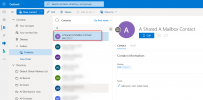
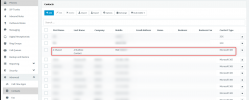
If you look at point #2 in the link, what you can sync with the 3CX Company Phonebook is Microsoft 365 Shared Mailboxes of well known folders. The guide has a link that explains what the "well known folders" are.Yes, but that is for configuring each users "personal" contacts. I want to integrate the company level contacts that are created in M365 and I see on the contacts page an exchange integration for this, but appears for on-premise only, so need to know how to integrate company level contacts from Exhange Online (M365).
Thanks,
Jason
Yes, and if you inspect the screenshot in the guide link I sent, you can also see that there are options where you hand-pick which specific Mailboxes to sync from as well.So I need to enabled the shared mailbox option and that will sync the company contacts from the "Well Known Folder" contacts, is that correct?


The 2 ways we have implementations for importing and keeping a sync of contacts are the ones outlined above, and only those.I get that, I guess my question is not being answered directly. Can 3CX sync "external contacts" part of the Exchange Online Global Address Book, rather than having to do a user or shared mailbox?
Jason
Founded in 2005, when VoIP was an emerging technology, 3CX has gone on to establish itself as a global leader in business communications.