Creating an Outbound Dialer with the 3CX CFD

TayZaLinZaw

Platinum Partner
Advanced Certified
Joined
May 30, 2024
Messages
49
Reaction score
5
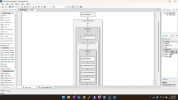
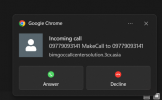
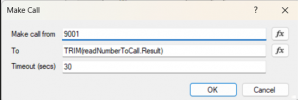
The flow shown in the docs doesn't work, but I switch up and down DoMakeCall, the call flow works as a manual I shown in pic 3. After I switch to DoMakecall 9001 to Trim(ReadNumbersToCall.Result) , the call pop-up appears as Make Call to the Free Extension, and the call goes out as a outbound call . Customer want to use that CFD for auto prompts not manual . How can I setup for that ( auto calls not manual calls ) ?
1755574913870.png1755574932061.png1755574882516.png
 
Hi @TayZaLinZaw,

For some time now, 3CX has stopped allowing calls to be initiated using the Make Call component by first dialing the external number. The call must always be connected to an internal extension first. This is a problem for your use case.

SIP Caller is a cloud-based dialer that easily integrates with 3CX, enabling operation in the described scenario. But it's not just that. With SIP Caller you will have a solution ready to use out of the box, which will give you a user friendly management console, so you can define your call flows (how to interact with your customers), create campaigns, specify operation hour, upload numbers to call, and much more. You will have a real time dashboard to see what's going on (calls being made, campaigns progress, etc.), and historical reports (call by call details and also charts with useful metrics).

You can start a free trial for your customer here, and get it working with their 3CX in minutes. If you think this is what your customer needs, you can also sign up as a SIP Caller partner, and resell it to your customer, getting a discount, an NFR license, and more.

Let me know if you have any questions.
 
Hi @TayZaLinZaw,

For some time now, 3CX has stopped allowing calls to be initiated using the Make Call component by first dialing the external number. The call must always be connected to an internal extension first. This is a problem for your use case.

SIP Caller is a cloud-based dialer that easily integrates with 3CX, enabling operation in the described scenario. But it's not just that. With SIP Caller you will have a solution ready to use out of the box, which will give you a user friendly management console, so you can define your call flows (how to interact with your customers), create campaigns, specify operation hour, upload numbers to call, and much more. You will have a real time dashboard to see what's going on (calls being made, campaigns progress, etc.), and historical reports (call by call details and also charts with useful metrics).

You can start a free trial for your customer here, and get it working with their 3CX in minutes. If you think this is what your customer needs, you can also sign up as a SIP Caller partner, and resell it to your customer, getting a discount, an NFR license, and more.

Let me know if you have any questions.
Let me Calrify this , I just want to know about that outbound auto dialer CFD is working with only 3CX or not ? If we use it as a third party module, can we attach prompts in that or not as a outbound auto callers ?
 
Let me Calrify this , I just want to know about that outbound auto dialer CFD is working with only 3CX or not ?
No, with the CFD you will not be able to get it working as you need, calling the external number first.


If we use it as a third party module, can we attach prompts in that or not as a outbound auto callers ?
Yes, with SIP Caller you will get exactly what you need. You can play a prompt from a pre recorded WAV file, or you can use TTS to automatically generate it from text, even using variable messages, for example to play a different prompt in each call, including the customer name, a due date, a balance, and so on. You can try this for free and see how simple it is with SIP Caller.

Regards.
 
No, with the CFD you will not be able to get it working as you need, calling the external number first.


Yes, with SIP Caller you will get exactly what you need. You can play a prompt from a pre recorded WAV file, or you can use TTS to automatically generate it from text, even using variable messages, for example to play a different prompt in each call, including the customer name, a due date, a balance, and so on. You can try this for free and see how simple it is with SIP Caller.

Regards.
Thanks for info sir ,I'll inform back when customer wants to use that module or not .
 
Thanks for info sir ,I'll inform back when customer wants to use that module or not .
Sure, contact me directly if you need any help or have questions.
 

Forum statistics

Threads
111,956
Messages
589,928
Members
164,860
Latest member
maxpcc