- Joined
- Jun 3, 2022
- Messages
- 40
- Reaction score
- 3
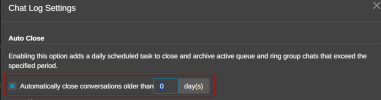
I have found several older (2+ years old) threads that say manually marking a chat as dealt with is the only way to trigger the chat journaling feature for the CRM integration. I just wanted to reach out and see if that was still true in v20 update 10? We are just now trying to integrate with Odoo (thank you for finally creating this native connection) and we have hundreds of chat conversations that I would like to log into the CRM if possible. Will we have to mark each one as dealt with? Or is there any other way to trigger the chat journaling, such as using the auto-close feature?
Thanks.