CRM integration call journaling

Status
Not open for further replies.

dimitar.stoyanov

Free User
Joined
Feb 3, 2020
Messages
11
Reaction score
0
Hello,
I am having a lot of issues with the integration of the CRM. I am trying to use an SQL database in order to integrate it with a ticketing system.

I am trying to report a call every time to a database, but cannot get in the call journaling scenario.

This is my lookup statement
select 707 as contactid, firstname as firstname, lastname as lastname, [Number] as phonemobile from ot_contact

The only variable i need as an output to the call journaling is [Number]
The call journaling statement only calls a procedure in the database with the parameter [Number]
1584614283633.png
Best Regards,
 
Call Journaling is tested with real calls. You can't test it from the console.

Also, you need that a contact is matched during contact lookup, otherwise the call journaling is skipped.

For your contact lookup SQL statement, having a constant contact ID = 707 seems to be wrong. You should provide a different value for each contact, otherwise they will be written to the same entry in 3CX Contacts. If you don't have an ID in the database, maybe you can use the caller number there as well.
 
I am trying with real calls, but with no luck. I am just trying to "lie" to the 3cx that there is a contact found, and then i will do everything with the [Number], but with no luck. 707 is a random id i created in my db. I can do
select 1 contactid, 'New' as firstname, 'Caller' as lastname,[Number] as phonemobile
It's the same result
 
Last edited:
2020/03/19 18:12:36.967|3520|0023|Info|CRM: Contact Wphonebook.11: Wtenant.1: default - MyNumber - New Caller was updated from CRM
2020/03/19 18:12:36.969|3520|0023|Info|CRM: New lookup data '1,5,6,7,8,9,10,11' will be attached to all connections related to number MyNumber

I guess this is what is happening, but i cannot understand why. It's creating a new contact every time. My idea is to use the same contact always, and only change the [Number] part
 
2020/03/19 18:12:36.967|3520|0023|Info|CRM: Contact Wphonebook.11: Wtenant.1: default - MyNumber - New Caller was updated from CRM
2020/03/19 18:12:36.969|3520|0023|Info|CRM: New lookup data '1,5,6,7,8,9,10,11' will be attached to all connections related to number MyNumber

I guess this is what is happening, but i cannot understand why. It's creating a new contact every time. My idea is to use the same contact always, and only change the [Number] part
You need to have a unique value for ContactUrl. It's this one the 3CX matches contacts on. If the URL is different, it creates a new contact.
 
So, can i use the URL from the 3cx? Which one, can you go a little bit into detail?
Thanks a lot.
Best Regards,
 
The contact lookup result is considered valid only when these 3 conditions are met:
1) At least FirstName, LastName or CompanyName are set.
2) One phone field has the caller number.
3) The ContactURL is set.

3CX identifies contacts by their URL. So if you provide always the same URL, 3CX will override existing contacts with the new values. You should return a different URL for each contact. You can use a dummy URL if you're not going to use the contact popup, for example:
https://www.example.com/[Number]

This way, each URL is unique, and has the caller number for that specific call.
 
  • Like
Reactions: Evolute IT
Hi, i tried it again and still having issues.
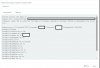
I attach 2 screenshots, just for you to see what i am doing. As i said, i am also trying real calls with no success. Even if i attach the ContactID to the URL, still the same.
1584644324814.png
1584644386113.png
 
Last edited:
You say that you're testing with real calls, but your screenshots are from the console. You will not trigger the Call Journaling that way.

You need to make a real call from an external number (calls between extensions are not considered by the CRM integration engine). Once you made the call, you should check the 3cxSystemService.log file (ensure that you enabled verbose logs before making the call).
 
As i said, i am just showing the select and all parameters that i return. I enabled the verbose logs, and there is no info regarding journaling. This is all i am getting:
Not processed. Number=mynumber, connection=126, state=Dialing
2020/03/19 21:19:43.114|3520|0008|Verb|Add to processing. Number=mynumber, connection=126, state=Dialing
2020/03/19 21:19:43.114|3520|0008|Info|CRM ProcessActiveConnections(). Attached entries to connection: 26
2020/03/19 21:19:43.114|3520|0008|Verb|CRM: LocalMatches=26. Number=mynumber, connection=126, state=Dialing
2020/03/19 21:19:43.114|3520|0008|Info|CRM: Synchronize(...) called
2020/03/19 21:19:43.114|3520|0004|Verb|Dequeue Inserted.CONNECTION.126
2020/03/19 21:19:43.115|3520|0030|Info|CRM: maxConcurrency=2
2020/03/19 21:19:43.115|3520|0030|Info|CRM: making request to CRM. Number=mynumber
2020/03/19 21:19:43.115|3520|0030|Info|CRM: No changes detected for contact Wphonebook.26: Wtenant.1: default - mynumber - New Caller
2020/03/19 21:19:43.115|3520|0030|Verb|Removed from processing. Number=mynumber
2020/03/19 21:19:43.115|3520|0030|Info|CRM: processing of mynumber has been finished
 
Those logs are from the contact lookup. You need to look a bit below in the log file. When the call ends, you should see a line starting with "CRM: about to report".
 
The last part in the log which contains keyword "CRM"and is after the lookup is this. That is the last "CRM" :
2020/03/19 21:26:50.601|3480|0021|Info|CRM: No changes detected for contact Wphonebook.26: Wtenant.1: default - Mynumber- New Caller
2020/03/19 21:26:50.602|3480|0021|Verb|Removed from processing. Number=Mynumber
2020/03/19 21:26:50.602|3480|0021|Info|CRM: processing of Mynumber has been finished
2020/03/19 21:26:50.620|3480|0008|Verb|Enqueue Updated.CONNECTION.41
 
Can you send me the entire log in a private message?
 
Yes, i will make 3 calls back to back and send it immediately
 
Status
Not open for further replies.

Latest Posts

Forum statistics

Threads
112,325
Messages
591,898
Members
165,478
Latest member
postmaster@studiolegaleda