CRM Integration Issues

Status
Not open for further replies.

KanzenSuite_Admin

Customer
Joined
Jul 13, 2020
Messages
5
Reaction score
0
Hi Everyone,

We are facing some issues with our CRM Integration.

We have our own CRM and we are trying to get the call Journaling data to record in to our SQL.
Can anyone assist us on this.

Error Message :-

image-8.png

Thank You

Regards,
KanzenSuite.
 
Can you share the template you're using? It seems some field in the JSON you're trying to define for Call Journaling has not the correct format. Maybe text being converted to a number....
 
Can you share the template you're using? It seems some field in the JSON you're trying to define for Call Journaling has not the correct format. Maybe text being converted to a number....

Hi edossantos.

Please refer to the attached file.

Thank You
 

Attachments

After checking your template, I can think of 2 possible issues:
1) The boolean in the "active" field should be true and not True, so change this:
<Value Key="active" Passes="1" Type="Boolean">True</Value>

to this:
<Value Key="active" Passes="1" Type="Boolean">true</Value>

2) The contact id in the array is converted to an integer, not sure what value you have in that variable, but you need to be sure that it fits in a 32 bits integer:
<Value Key="" Passes="1" Type="Integer">[Contact::ContactID]</Value>
 
Hi edossantos,

I have amended as you guided and I'm receiving a new error :-

Started scenario with empty id
Request text: https://staging.api.kanzensuite.com...ne?subdomain=staging-planc&number=01112869895
Response text: [{"id":"6","name":"Nihantha Bala","mobilePhone":"01112869895","workPhone":null,"firstName":"Nihantha","lastName":"Bala","phoneNumber":"01112869895","email":"[email protected]"}]
Response finished
Variable Id set to 6
Variable FirstName set to Nihantha
Variable LastName set to Bala
Variable MobilePhone set to 01112869895
Variable Email set to [email protected]
System.Exception: Unknown expression: WorkPhone. Part: WorkPhone.
at TcxLexicalParser.ValueManager.GetByPath(String[] path)
at TcxLexicalParser.LexEvaluator.Process(Element element, IValueManager valueManager, Boolean isFunctionArgument)
at CrmIntegration.EscapedExpressionEvaluator.ParseExpression(String expression, Boolean asExpression, IValueManager customManager)
at CrmIntegration.SearchNumberScenarioProcessor.ProcessFinalResult(ProtocolScenario scenario, IValueManager valueManager)
at CrmIntegration.ScenarioProcessorBase.ProcessMatching(ProtocolScenario scenario, MatchingPath matching, ResponseMatcher responseMatcher, IValueManager customManager, HashSet`1 distinctMatchings, CancellationToken token)
at CrmIntegration.ScenarioProcessorBase.ProcessFoundMatchings(ProtocolScenario scenario, IValueManager customManager, List`1 matchings, ResponseMatcher responseMatcher, CancellationToken token)
at CrmIntegration.ScenarioProcessorBase.ProcessScenario(ProtocolScenario scenario, IValueManager customManager, CancellationToken token)
at CrmIntegration.ScenarioProcessorBase.Execute(ProtocolScenario scenario, CancellationToken token)
at CrmIntegration.CrmProcessor.GetContactInfoFromCrm(String contactNumber, String destinationEmail, Boolean createIfNotFound, CancellationToken token)

Can you assist me on this.

Thanks
 
You're trying to read a variable named [WorkPhone], which doesn't exist. This is in the following line of your template:
<Output Type="PhoneBusiness " Passes="0" Value="[WorkPhone]" />
 
Hi edossantos,

Thanks a lot for the guide. It's really helpful and it's solve the Error.
There's another error occurred :-

2020/07/21 10:45:42.411|641|0051|Erro|Exception during call reporting: System.FormatException: Input string was not in a correct format.
at System.Number.ThrowOverflowOrFormatException(ParsingStatus status, TypeCode type)
at CrmIntegration.ScenarioProcessorBase.CreateJsonFromPostValues(RequestItem requestItem, IValueManager customManager)
at CrmIntegration.ScenarioProcessorBase.ProcessRequest(ScenarioRequest request, IValueManager customManager, HttpClient client, CancellationToken token)
at CrmIntegration.ScenarioProcessorBase.ProcessScenario(ProtocolScenario scenario, IValueManager customManager, CancellationToken token)
at CrmIntegration.ScenarioProcessorBase.Execute(ProtocolScenario scenario, CancellationToken token)
at CrmIntegration.CrmProcessor.ExecuteScenarioByName(String scenarioName, IEnumerable`1 parameters, Boolean useNoAuthProvider, CancellationToken token)
at CrmIntegration.CrmProcessor.ReportCall(CallEndedEvent call, CancellationToken token)

Can you assist me again, to solve this issues.

Thank You
 
Hi edossantos,

My apology. I received this error from the 3CX Template Creator when retrieving the report call for a specific mobile number :-

System.FormatException: Input string was not in a correct format.
at System.Number.StringToNumber(String str, NumberStyles options, NumberBuffer& number, NumberFormatInfo info, Boolean parseDecimal)
at System.Number.ParseInt64(String value, NumberStyles options, NumberFormatInfo numfmt)
at CrmIntegration.ScenarioProcessorBase.CreateJsonFromPostValues(RequestItem requestItem, IValueManager customManager)
at CrmIntegration.ScenarioProcessorBase.<ProcessRequest>d__17.MoveNext()
--- End of stack trace from previous location where exception was thrown ---
at System.Runtime.ExceptionServices.ExceptionDispatchInfo.Throw()
at System.Runtime.CompilerServices.TaskAwaiter.HandleNonSuccessAndDebuggerNotification(Task task)
at CrmIntegration.ScenarioProcessorBase.<ProcessScenario>d__8.MoveNext()
--- End of stack trace from previous location where exception was thrown ---
at System.Runtime.ExceptionServices.ExceptionDispatchInfo.Throw()
at System.Runtime.CompilerServices.TaskAwaiter.HandleNonSuccessAndDebuggerNotification(Task task)
at CrmIntegration.ScenarioProcessorBase.<Execute>d__7.MoveNext()
--- End of stack trace from previous location where exception was thrown ---
at System.Runtime.ExceptionServices.ExceptionDispatchInfo.Throw()
at System.Runtime.CompilerServices.TaskAwaiter.HandleNonSuccessAndDebuggerNotification(Task task)
at CrmIntegration.CrmProcessor.<ExecuteScenarioByName>d__15.MoveNext()
--- End of stack trace from previous location where exception was thrown ---
at System.Runtime.ExceptionServices.ExceptionDispatchInfo.Throw()
at System.Runtime.CompilerServices.TaskAwaiter.HandleNonSuccessAndDebuggerNotification(Task task)
at CrmIntegration.CrmProcessor.<ReportCall>d__16.MoveNext()


Could you assist on solving this issues.

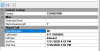
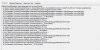
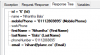
Below are some screenshot from the Template Generator :-

1.png2.png3.png4.png5.png
 
The error looks the same than the original error. Are you sure you're working with the template containing the fixes you did? The exception is thrown when the tool tries to convert a string to a number, and the text is not a number...
 
Status
Not open for further replies.

Latest Posts

Forum statistics

Threads
112,325
Messages
591,898
Members
165,477
Latest member
Mueller