CRM Integration works in V18, but not in V20

Status
Not open for further replies.

Lstclair55

Silver Partner
Joined
Oct 23, 2022
Messages
20
Reaction score
2
Hi, We have a crm integration that works perfectly fine in V18, but when we load it into V20 it does not.
 

Attachments

  • Screenshot 2024-05-15 at 20.56.17.png
    Screenshot 2024-05-15 at 20.56.17.png
    149.7 KB · Views: 43
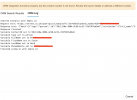
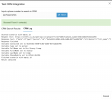
Looks like the contact is being found.... What's the issue you are experiencing?
 
Can you please be more specific on the issue you have?
You do not get the pop-up as it seems that the CRM test is ok.
 
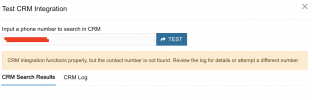
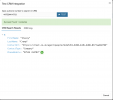
So the popup does not appear and the initial error on the crm test, despite it actually being found in the previous screenshot
 

Attachments

  • Screenshot 2024-05-16 at 08.25.50.png
    Screenshot 2024-05-16 at 08.25.50.png
    63.1 KB · Views: 16
The pop-up will not work on CRM Test.
The test will actually test the integration only and is not fully functional. You need to test with normal inbound calls first.
 
Yes we have and it doesn't work.
 
You're using a custom template, so you need to ensure that the lookup scenario returns the following:
1) At least one of FirstName, LastName or Company outputs with a value set.
2) The phone number being searched should be present as an output.
3) The ContactUrl output should be set to a unique value.

If any of these conditions are not met, the returned contact is discarded and you will not see a popup.

But what's weird is that this has not changed from v18 to v20, so if it worked in v18 it should work on v20 too. Maybe you're changing the contact lookup number length setting? Check that from Advanced > Contacts > Options.
 
  • Like
Reactions: Evolute IT
No, the contact number length is set to full number on both V18 and V20.

FirstName, LastName, PhoneNumber are in the output fields as is the ContactURL
 
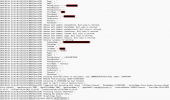
You will need to enable verbose logs, reproduce the issue, and then check the 3cxSystemService.log file, where you will see the interactions between 3CX and the CRM. That will give you some pointers.
 
I have something similar on V18 the contact name is not displayed on the webclient, i can see the crm lookup on the debug file. not sure what is the issue is.
1715895470792.png
 
@Itel628 The number in the CRM is saved with a + however the caller id does contain the E164 format.
You need to adjust the CRM contact or use the caller id reformatting.
 
e164 should have nothing to do with it. you match contacts with number of digits, it could be 5, 7, 9
 
It can affect if the matching strategy is set to match exactly.
 
matching is set to 8 digits. The contact name is still not displayed
 
Have you set to match exactly and test?
 
So I have spent a bit more time on this today.

I have turned off 'Match Caller ID to Entry' in the phonebook settings. and now I get a match when I run the test in the CRM test configurator for the custom integration. However when the person calls, there is no CRM link or name displayed.
 

Attachments

  • Screenshot 2024-06-12 at 21.07.48.png
    Screenshot 2024-06-12 at 21.07.48.png
    44 KB · Views: 21
  • Screenshot 2024-06-12 at 21.08.29.png
    Screenshot 2024-06-12 at 21.08.29.png
    213.1 KB · Views: 20
  • Screenshot 2024-06-12 at 21.08.23.png
    Screenshot 2024-06-12 at 21.08.23.png
    169.8 KB · Views: 23
  • Screenshot 2024-06-12 at 21.09.04.png
    Screenshot 2024-06-12 at 21.09.04.png
    106.4 KB · Views: 27
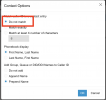
I also have this in the user settings
 

Attachments

  • Screenshot 2024-06-12 at 21.11.34.png
    Screenshot 2024-06-12 at 21.11.34.png
    130.6 KB · Views: 18
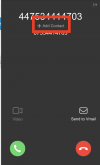
If I have it turned off.... this is the screen shot where you can create a contact

when it is turned on, you cannot create a contact from the incoming call
 

Attachments

  • Screenshot 2024-06-12 at 21.15.29.png
    Screenshot 2024-06-12 at 21.15.29.png
    41.2 KB · Views: 12
  • Screenshot 2024-06-12 at 21.15.54.png
    Screenshot 2024-06-12 at 21.15.54.png
    38.1 KB · Views: 12
Anyone shed any light on it?
 
I believe that there is a confusion here.
If you turn the matching to OFF the number will never be sent to the CRM for lookup.
You need to ensure that it is set to match exactly and the number in the CRM is configured as it is received without spaces or special characters. Keep in mind though that if your are making the test call from a number that is also configured as a mobile number of an extension this will also not pop-up.
 
Status
Not open for further replies.