- Joined
- Sep 1, 2021
- Messages
- 8
- Reaction score
- 1
Hello,
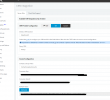
We had Call Journaling enabled for our CRM that was established by another admin, through salesforce. I've gone through the documentation and the settings look correct from both the Salesforce and 3CX admin portal. But for some reason I cant get the logs to appear on our CRM. Below is the error code when I test the CRM Provider Config. and the log beneath that.
The Key and Secret are all correct and I've tried refreshing the Authorize Token Button.
Thanks in advance guys.
Error:
Server returned a non successful status code - HTTPStatusCode=BadRequest - Reason=Bad Request - Content={"error":"invalid_grant","error_description":"authentication failure"}
Log:
Started scenario with empty id
Started Auth
Request text: https://login.salesforce.com/services/oauth2/token
Request form value grant_type set to refresh_token
Request form value refresh_token set to "Token"
Request form value client_id set to "Client ID"
Request form value client_secret set to "Client Secret"
System.Exception: Server returned a non successful status code - HTTPStatusCode=BadRequest - Reason=Bad Request - Content={"error":"invalid_grant","error_description":"authentication failure"}
at CrmIntegration.ScenarioProcessorBase.ProcessRequest(ScenarioRequest request, IValueManager customManager, HttpClient client, CancellationToken token)
at CrmIntegration.ScenarioProcessorBase.ProcessScenario(ProtocolScenario scenario, IValueManager customManager, CancellationToken token)
at CrmIntegration.ScenarioProcessorBase.Execute(ProtocolScenario scenario, CancellationToken token)
at CrmIntegration.ScenarioAuthHttpClientProvider.PerformScenarioIfNeeded(CancellationToken token)
at CrmIntegration.ScenarioAuthHttpClientProvider.Create(CancellationToken token)
at CrmIntegration.ScenarioProcessorBase.ProcessScenario(ProtocolScenario scenario, IValueManager customManager, CancellationToken token)
at CrmIntegration.ScenarioProcessorBase.Execute(ProtocolScenario scenario, CancellationToken token)
at CrmIntegration.CrmProcessor.GetContactInfoFromCrm(String contactNumber, Boolean isInboundCall, String destinationEmail, Boolean createIfNotFound, CancellationToken token)
We had Call Journaling enabled for our CRM that was established by another admin, through salesforce. I've gone through the documentation and the settings look correct from both the Salesforce and 3CX admin portal. But for some reason I cant get the logs to appear on our CRM. Below is the error code when I test the CRM Provider Config. and the log beneath that.
The Key and Secret are all correct and I've tried refreshing the Authorize Token Button.
Thanks in advance guys.
Error:
Server returned a non successful status code - HTTPStatusCode=BadRequest - Reason=Bad Request - Content={"error":"invalid_grant","error_description":"authentication failure"}
Log:
Started scenario with empty id
Started Auth
Request text: https://login.salesforce.com/services/oauth2/token
Request form value grant_type set to refresh_token
Request form value refresh_token set to "Token"
Request form value client_id set to "Client ID"
Request form value client_secret set to "Client Secret"
System.Exception: Server returned a non successful status code - HTTPStatusCode=BadRequest - Reason=Bad Request - Content={"error":"invalid_grant","error_description":"authentication failure"}
at CrmIntegration.ScenarioProcessorBase.ProcessRequest(ScenarioRequest request, IValueManager customManager, HttpClient client, CancellationToken token)
at CrmIntegration.ScenarioProcessorBase.ProcessScenario(ProtocolScenario scenario, IValueManager customManager, CancellationToken token)
at CrmIntegration.ScenarioProcessorBase.Execute(ProtocolScenario scenario, CancellationToken token)
at CrmIntegration.ScenarioAuthHttpClientProvider.PerformScenarioIfNeeded(CancellationToken token)
at CrmIntegration.ScenarioAuthHttpClientProvider.Create(CancellationToken token)
at CrmIntegration.ScenarioProcessorBase.ProcessScenario(ProtocolScenario scenario, IValueManager customManager, CancellationToken token)
at CrmIntegration.ScenarioProcessorBase.Execute(ProtocolScenario scenario, CancellationToken token)
at CrmIntegration.CrmProcessor.GetContactInfoFromCrm(String contactNumber, Boolean isInboundCall, String destinationEmail, Boolean createIfNotFound, CancellationToken token)