Crowdstrike Endpoint Security Detection re 3CX Desktop App

Status
Not open for further replies.

wars

Customer
Joined
Feb 14, 2022
Messages
34
Reaction score
13
Hey,

(Posted this in the wrong section so deleted and moved it here)

So, we use Crowdstrike Falcon Overwatch and about half an hour ago I had an alert come through (something which only happens a handful of times a year) telling me that the 3CX Desktop App has been attempting to communicate with a 'highly suspicious domain, likely to be actor controlled.' - msstorageboxes[.]com - I have looked this up and it appears to be owned by someone/something in Reykjavik.

https://intodns.com/msstorageboxes.com for more info.
I raised a ticket and have been told that I should do this through the portal at a cost of £75. This isn't something I am happy paying for, as the alert points to the 3CX Desktop App having the issue, NOT anything to do with our infrastructure. So, here's my forum post.... I've removed the desktop app and asked the user to access it via the webpage which works just as well, I think he is the only one with the full app installed anyway. What I want to know is, what was the app doing? Does 3CX recognise this domain?
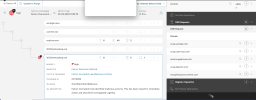
1680102619670.png


Full alert is -

Falcon OverWatch has observed connections to known malicious infrastructure by the 3CX Desktop App process on this host.

DNS : msstorageboxes[.]com

NOTE: Highly suspicious domain, likely actor controlled.

This has been raised for immediate action and should be investigated urgently.

Due to the identified activity in relation to the 3CX Desktop application, we would recommend removing this software from your environment, (both Windows and Mac) where applicable and if possible.
 
I got this today as well.

3CXDesktopApp.exe


Unassigned

New

Comment

Network contain

Create exclusion


Notes from Overwatch

Mar. 29, 2023 09:07:48
Falcon OverWatch has observed connections to known malicious infrastructure by the 3CX Desktop App process on this host.
DNS : msstorageazure[.]com
NOTE: Highly suspicious domain, likely actor controlled.
This has been raised for immediate action and should be investigated urgently.
Due to the identified activity in relation to the 3CX Desktop application, we would recommend removing this software from your environment, (both Windows and Mac) where applicable and if possible.
 
The hostname your alert refers to is slightly different to mine however it's still registered to the same registrant.

Something fishy is definitely going on. I hope someone from 3CX will respond soon! Good job we have invested in great security, that's all I can say. What did you do to remediate?
 
  • Like
Reactions: wits2020
  • Sad
Reactions: jsrobo
  • Like
Reactions: Nick W
Can anyone answer whether this is the Windows native app or the 3cx Desktop app that installs via Chrome/Browser?
 
Can anyone answer whether this is the Windows native app or the 3cx Desktop app that installs via Chrome/Browser?
This is related to the 3CX Windows MSI application, not any other Windows version.
Mac full application appears to be effected too.


1680112405287.png
 
Last edited:
  • Like
Reactions: wits2020
It appears from what I am reading to be the MAC and Windows full applications
 
  • Like
Reactions: mcsphones
is there a known version of the windows app that is compromised? We are on an older version of 3cx and our Windows apps don't appear to have updated since January. Version installed is 16.3.0.179
 
is there a known version of the windows app that is compromised? We are on an older version of 3cx and our Windows apps don't appear to have updated since January. Version installed is 16.3.0.179
Yes, stick at that version is my suggestion.

Found the version numbers (you will need to scroll across)

SHA256Operating SystemInstaller SHA256FileName
dde03348075512796241389dfea5560c20a3d2a2eac95c894e7bbed5e85a0accWindowsaa124a4b4df12b34e74ee7f6c683b2ebec4ce9a8edcf9be345823b4fdcf5d8683cxdesktopapp-18.12.407.msi
fad482ded2e25ce9e1dd3d3ecc3227af714bdfbbde04347dbc1b21d6a3670405Windows59e1edf4d82fae4978e97512b0331b7eb21dd4b838b850ba46794d9c7a2c09833cxdesktopapp-18.12.416.msi
92005051ae314d61074ed94a52e76b1c3e21e7f0e8c1d1fdd497a006ce45fa61macOS5407cda7d3a75e7b1e030b1f33337a56f293578ffa8b3ae19c671051ed3142903CXDesktopApp-18.11.1213.dmg
b86c695822013483fa4e2dfdf712c5ee777d7b99cbad8c2fa2274b133481eadbmacOSe6bbc33815b9f20b0cf832d7401dd893fbc467c800728b5891336706da0dbcec3cxdesktopapp-latest.dmg
 
S1 ai module actually picked this up a few days ago. We thought it was a false positive.
 
S1 ai module actually picked this up a few days ago. We thought it was a false positive.
I only have one user with the client installed and it appears to have been dormant (or he was using the web client version) till this afternoon at 13:52GMT which is when it all went a little crazy. Thankfully no other users have the client installed so it's had a low impact for us.
 
Can the desktop app be uninstalled via command line? If so, does anyone have the proper syntax for the command?
 
Thanks, Wars, I did see that in the thread I posted... hopefully, we will get an official line from 3CX sooner rather than later, removing 100's if not thousands of desktop app users could be challenging for sure!
 
Status
Not open for further replies.

Members Online Now

Forum statistics

Threads
111,835
Messages
589,289
Members
164,667
Latest member
Infinity Network

