Custom Template for Fanvil H5 on V20

Vingo2

Silver Partner
Basic Certified
Joined
Jul 13, 2023
Messages
5
Reaction score
0
Hello Team,
I have installed a trial version of V20 for testing purposes before getting a pro licence.
Tried to copy a custom template for H5 from V18 to V20, template added but cannot be found on the phone provisioning instance.
Kindly advise please.

Regards
VG
 
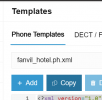
Use the copy function and then paste your custom template.
1730720663322.png

If the template has issues that cause it to break compatibility your will have to troubleshoot it yourself as we do not provide any support for custom templates whatsoever.
 
Thanks for your reply, kindly provide the steps to do on V20 once you have uploaded the template.
 
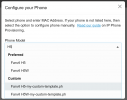
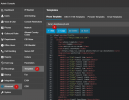
Once you do, you save it with your own changes, then you add a phone using the custom template.
1730798003663.png
 
  • Like
Reactions: Vingo2
Hi,

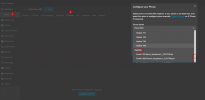
I am also trying to do something similar. I have created a custom templare. Where do you apply the custom template to the phone? I cannot find this option anywhere. Using V20 hosted.
 
1730974853581.png

1730974839585.png
 
Thank you very much!
 
  • Like
Reactions: NicholasP_3CX
@NicholasP_3CX Thanks for getting back Sir, sorry was on leave. Can you please advise how to insert a background picture in the template for Fanvil H5
 
@NicholasP_3CX Thanks for getting back Sir, sorry was on leave. Can you please advise how to insert a background picture in the template for Fanvil H5
You would need to ask Fanvil this question as we do not provide a logo for this particular phone. We do not provide advice about customisations.
 

Members Online Now

No members online now.

Forum statistics

Threads
111,831
Messages
589,277
Members
164,660
Latest member
RJenkinsROCK