


- Joined
- Jun 13, 2020
- Messages
- 25
- Reaction score
- 2
Hello,
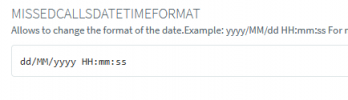
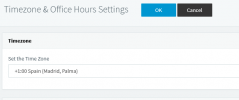
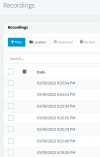
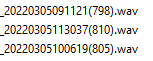
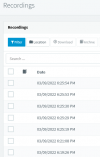
I have a problem that cannot fix, on recordings in PBX management console all date is showing on revers, when I download records is same in name of record date is on revers and like extra with an hour ago. On OS, Parameters of PBX console and time zone of PBX console is normal.

about PBX
Product Enterprise -- Annual
Version Number --- 18.0 (Build 450)
installation form 3cx ISO media
Pleas help me to solve this mismatch.
I have a problem that cannot fix, on recordings in PBX management console all date is showing on revers, when I download records is same in name of record date is on revers and like extra with an hour ago. On OS, Parameters of PBX console and time zone of PBX console is normal.
about PBX
Product Enterprise -- Annual
Version Number --- 18.0 (Build 450)
installation form 3cx ISO media
Pleas help me to solve this mismatch.



 thanks for the support! I don't know why I'm looking for a difficult solution.


