Solved DDI not calling

Status
Not open for further replies.

dylanp1702

Forum User
Joined
Jul 8, 2019
Messages
17
Reaction score
4
Hello,

I have a 3CX phone system that is set up with DDI's however, when I call the DDI it goes to the Receptionist's message but before it can go to the extension it cuts off. Does anyone know what is causing this and how to fix it.

Kind Regards,

Dylan
 
Need more info.

Should the DDI numbers go to he receptionist ?

When you say it goes to receptionist message - how have you set this up ?

After the receptionist message, where should the calls go. ?

Have you looked at the activity log, to see the route of the call ?
 
Hello @dylanp1702 !

So before the DID was sent to the good person and now it goes directly to the default extension ?
Did you tried some changes ?

What is your trunk, installation (on premise/hosted, sbc/stun)

Mathieu
 
Hi,
probably your inbound rule has a format number not matching the same your provider send.

can you try to modify your inbound rule like for example your comlete number is 0123456789
set in rule the last digits *456789 only
 
Need more info.

Should the DDI numbers go to he receptionist ?

When you say it goes to receptionist message - how have you set this up ?

After the receptionist message, where should the calls go. ?

Have you looked at the activity log, to see the route of the call ?
Hello,

So when I go to call the DDI it goes welcome to company please wait while we connect you. Then after it is supposed to call one of the extensions however before it can call the extension the phone hangs up.

Kind Regards,

Dylan
 
  • Like
Reactions: Saqqara
Hello,

So when I go to call the DDI it goes welcome to company please wait while we connect you. Then after it is supposed to call one of the extensions however before it can call the extension the phone hangs up.

Kind Regards,

Dylan

You need to set this up using IVR (Digital Receptionist) and each DDI has to have a separate IVR. The only fields you need are 'if no input within seconds' - set to 1 sec , connect to extension x , If input is invalid then - extension
 
is it an IVR answering first step? or a Q ?

If it is a Q, then check status if extensions agent are "available and loggedin"
 
Hello @dylanp1702 !

So before the DID was sent to the good person and now it goes directly to the default extension ?
Did you tried some changes ?

What is your trunk, installation (on premise/hosted, sbc/stun)

Mathieu
Hello,

I do not understand what you mean, could you explain it please.

Kind Regards,

Dylan
 
@dylanp1702 It's ok, I was just not understanding your final goal haha.

So you go to IVR then IVR has to go to someone, can you show us your IVR settings ?
 
please give us screen copy of what is set in IVR 902
 
You need to set this up using IVR (Digital Receptionist) and each DDI has to have a separate IVR. The only fields you need are 'if no input within seconds' - set to 1 sec , connect to extension x , If input is invalid then - extension

Hello,

This has already been setup but it is still doing the same thing. Anything else you can suggest?

Kind Regards,

Dylan
 
@dylanp1702 It's ok, I was just not understanding your final goal haha.

So you go to IVR then IVR has to go to someone, can you show us your IVR settings ?
Hello,

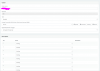
Could you please see my reply to @aws2p as I have provided screenshots.

Kind Regards,

Dylan
 
  • Like
Reactions: FS_Mathieu
so for now your IVR is just playing audio file and do nothing else because nothing is set in actions and destinations
 
So when someone call this DID : He has to listen to IVR with the AA.wav msg then after 5 seconds he's redirected to the call queue 803 and in this queue it's ringing on logged agents.

What's wrong now ?
 
why have you set 5 seconds before switching to Q 803?

Now this is a Q investigation

check what i said in post #7
 
So when someone call this DID : He has to listen to IVR with the AA.wav msg then after 5 seconds he's redirected to the call queue 803 and in this queue it's ringing on logged agents.

What's wrong now ?

Hello,

The thing is it does not ring the extension.
 
As above, the calls are going to a queue - have you logged the extensions into the queue.

You can check if the extension is logged into the queue - Select the extension under Extension and click on 'Status' , you will see queuestatus.

Also check 'Destination if no answer' on the queue
 
if extensions Agent of Q 803 are not loggedin , the calls go directly to no answer direction, if this is set to end call, that's why it hang up without ringing
 
  • Like
Reactions: dylanp1702
Status
Not open for further replies.

Members Online Now

No members online now.

Forum statistics

Threads
111,831
Messages
589,277
Members
164,660
Latest member
RJenkinsROCK