- Joined
- Jun 29, 2017
- Messages
- 39
- Reaction score
- 15
Good Morning all.
I called into 3cx this AM as I had a almost emergency issue since my Project team "FORGOT" we had ported a client for 9am today and I jumped in to get the system built and get it done before it we had issues.
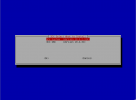
Everything was going OK. Got my installers onsite with handsets and I was building the 3cx. Got through all the normal Debian install questions and then to the 3cx installer question
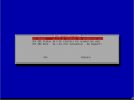
See a problem? no V18 PBX just SBC. started over and made sure I had the correct ISO from the Customer Portal
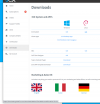
Same Result. I installed v16. hey I can just upgrade it and deal with this after right? WRONG. Keys purchased are only valid on v18 install. NOW I GOT A PROBLEM.
Called 3cx. Tech answered. His answer to me. Submit a ticket.
I will say I was a bit pissed off over that. If people have general issues under my MSP. They submit a ticket. If they have a major issue, they call as they need results now.
So after digging my keys. I still have some older keys that were not installed and thankfully I had a v16 with the same specs and I used that and got this client online. Not everyone has Spare keys because someone in my company got Purchase happy at one point.
so Updating the community on this issue as you will run into a major problem today until they resolve this. I hope this is not causing issues in the Cloud installs but is sure is for us who use the ISO.
I hope this gets updated quickly.
I called into 3cx this AM as I had a almost emergency issue since my Project team "FORGOT" we had ported a client for 9am today and I jumped in to get the system built and get it done before it we had issues.
Everything was going OK. Got my installers onsite with handsets and I was building the 3cx. Got through all the normal Debian install questions and then to the 3cx installer question
See a problem? no V18 PBX just SBC. started over and made sure I had the correct ISO from the Customer Portal
Same Result. I installed v16. hey I can just upgrade it and deal with this after right? WRONG. Keys purchased are only valid on v18 install. NOW I GOT A PROBLEM.
Called 3cx. Tech answered. His answer to me. Submit a ticket.
I will say I was a bit pissed off over that. If people have general issues under my MSP. They submit a ticket. If they have a major issue, they call as they need results now.
So after digging my keys. I still have some older keys that were not installed and thankfully I had a v16 with the same specs and I used that and got this client online. Not everyone has Spare keys because someone in my company got Purchase happy at one point.
so Updating the community on this issue as you will run into a major problem today until they resolve this. I hope this is not causing issues in the Cloud installs but is sure is for us who use the ISO.
I hope this gets updated quickly.