DECT W70 Base and W56H

Status
Not open for further replies.

gigaboy

SOHO User
Joined
Jul 6, 2016
Messages
90
Reaction score
3
It would be nice if the 3cx instructions for provisioning this were for self hosted (diagrams shown are for cloud). I've struggled for three days to get this to work with a w70b base and w56h handsets. Reset the handsets, updated the firmware on the handsets and dect base. Handsets will not communicate with base. Dashboard for phones shows UNPROVISIONED. User shows as active/green, but phones won't ring. Wiped and repeated three times, still not working. I never had this trouble with the "bricked" w52p units.

Note that I found out that I had to do handset firmware updates using the old W52p base, otherwise attempting to update firmware using w70b displays data initializing on the handset.
 
Hi @gigaboy,

Let's get started by collecting some basic info:

- Tell us the Firmware version of your W70B
- The firmware version of the W56H
- Whether you chose LAN / SBC / STUN provisioning in the FXS DECT page
- What version is your PBX currently
 
- Tell us the Firmware version of your W70B
146.85.0.40

- The firmware version of the W56H
61.85.0.35

- Whether you chose LAN / SBC / STUN provisioning in the FXS DECT page
Local LAN

- What version is your PBX currently
18.0 (Build 312)
 
Excellent, and after provisioning the W70B, do you see your selected users appear registered under the 3CX "Phones" page?
 
Phone does appear as W70B with UNPROVISIONED under Mac Address, see screenshot.2023-04-06_07-10-02.jpg
 
I see, so no registered users appear in the list as W70B users yet.

In your 3CX FXS page, did you add some users ?
 
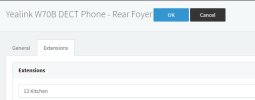
FXS Extension added2023-04-06_07-22-16.jpg

3CX show user active.
2023-04-06_07-19-52.jpg

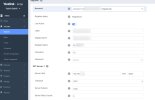
W70B Console, Account Registered
2023-04-06_07-21-03.jpg

All three lights are on W70B. Handset shows registered to the base.
 
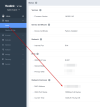
Ok registration confirmed, one last thing before we move on to the W56H, login to the base and read the MAC address.

Paste it into the FXS DECT page without the colon signs and make sure it looks identical to the one the device has(this is needed so the device will be recognized as provisioned).

Did the UNPROVISIONED message go away now?

1680781660953.png
 
Did (again) as prescribed. Refreshed 3cx dashboard, still shows unprovisioned.
 
OK this part is a bit strange indeed.

As a sanity check, let's unplug the W70B for a moment, then go to the 3CX services page, select all services and click restart.

The system should come back up in a about minute.

After this, we can plug the W70B in and give it a minute to boot up.

Then, check the Phones page again. I can confirm when testing mine here that it does not show as unprovisioned, so we have something to compare against.
 
Did as prescribed.
In 3CX | Phones extension still shows as UNPROVISIONED.
In 3CX | Users, extension is shown as ACTIVE/green.

Tried dialing inbound from cell phone to line, phone sits there / no activity.
 
Ok let me look into it a bit further and get back to you.
 
I wonder about the authentication directions as to the parameters that should be captured from the 3CX dashboard and pasted into the account information screen inside the W70B.

To get authentication information:
3CX | Phones | Extension - to the far right there is an eyeball, when clicked there is a popup with auth information.

There's a userID, password, phone password, and PIN. Can we verify what should be used and where?
 
None of that should be a matter of concern if the device was automatically configured using the provisioning URL from 3CX.

I'm looking into a couple of other things now that we will be able to check together in a bit
 
I'm having trouble getting a w70b to provision.
Self-hosted but not on the same network.
made sure it had the latest firmware.
followed the guide but it's still not working.


v18
any ideas?
 
Status
Not open for further replies.

Members Online Now

Forum statistics

Threads
111,832
Messages
589,283
Members
164,662
Latest member
DejanMDS